
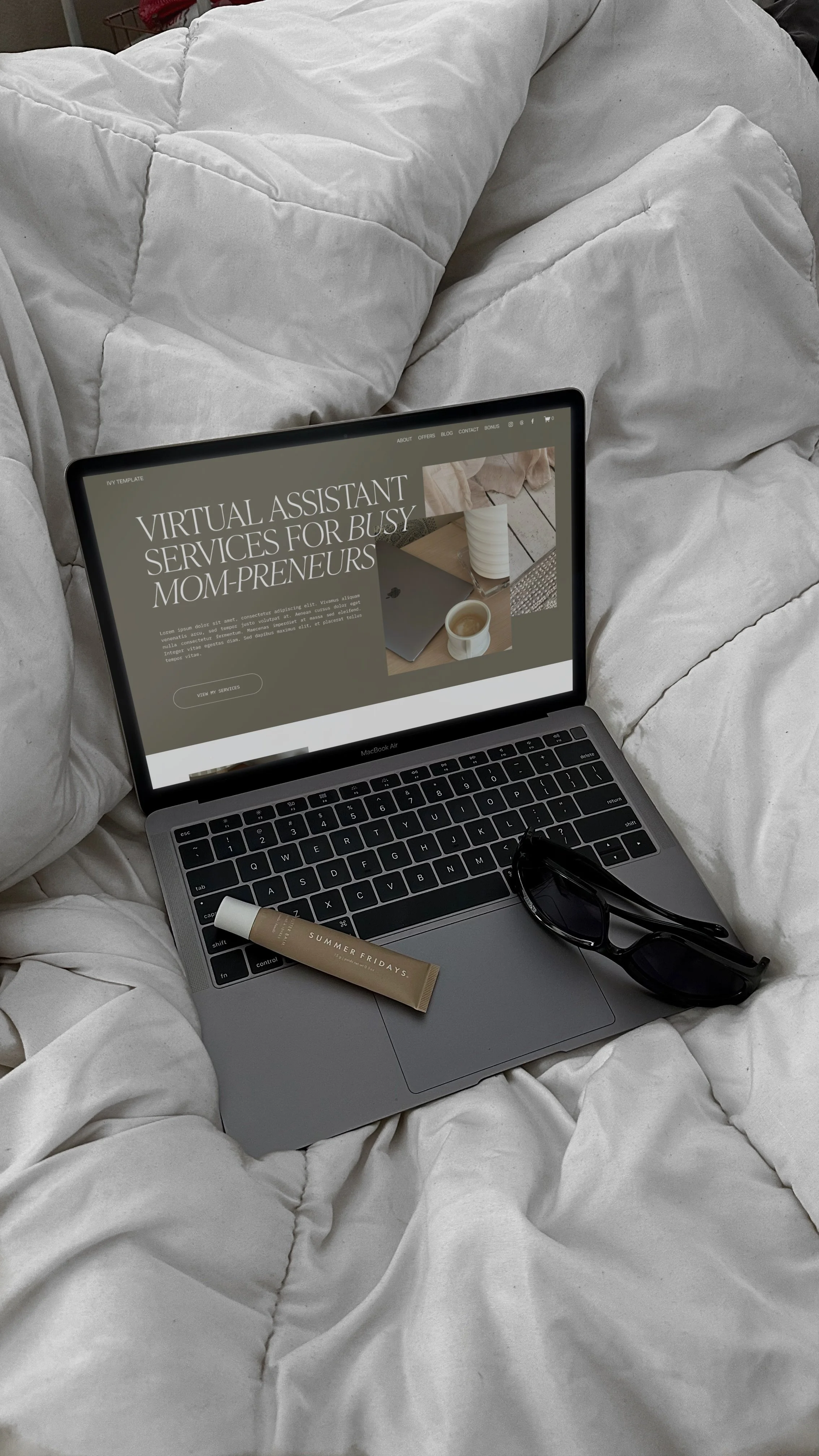
Virtual Assistant Squarespace Template
Ivy Squarespace Template
$297
Ivy is a bold, editorial template designed to help you launch your Virtual Assistant website and start booking clients fast.
✨ Aesthetic: Dark, Moody, Maximal, Editorial
💻 Layout: Follows the StoryBrand Framework
📄 Pages Included: 15
Send your next client to your website, not your dm’s.
Built Strategically for
VIRTUAL ASSISTANTS
Fully Customizable
NO CODE NECESSARY
Tutorials Included
HOW-TO GUIDES + VIDEOS

A VA Website Shop Template is right for you if…
You’re a busy Virtual Assistant wanting to look professional online
You wish you could launch fast without having to make a bunch of decisions
You have no idea what to put on your website or where.
You can’t wait to start getting inquiries while you’re out doing other things!
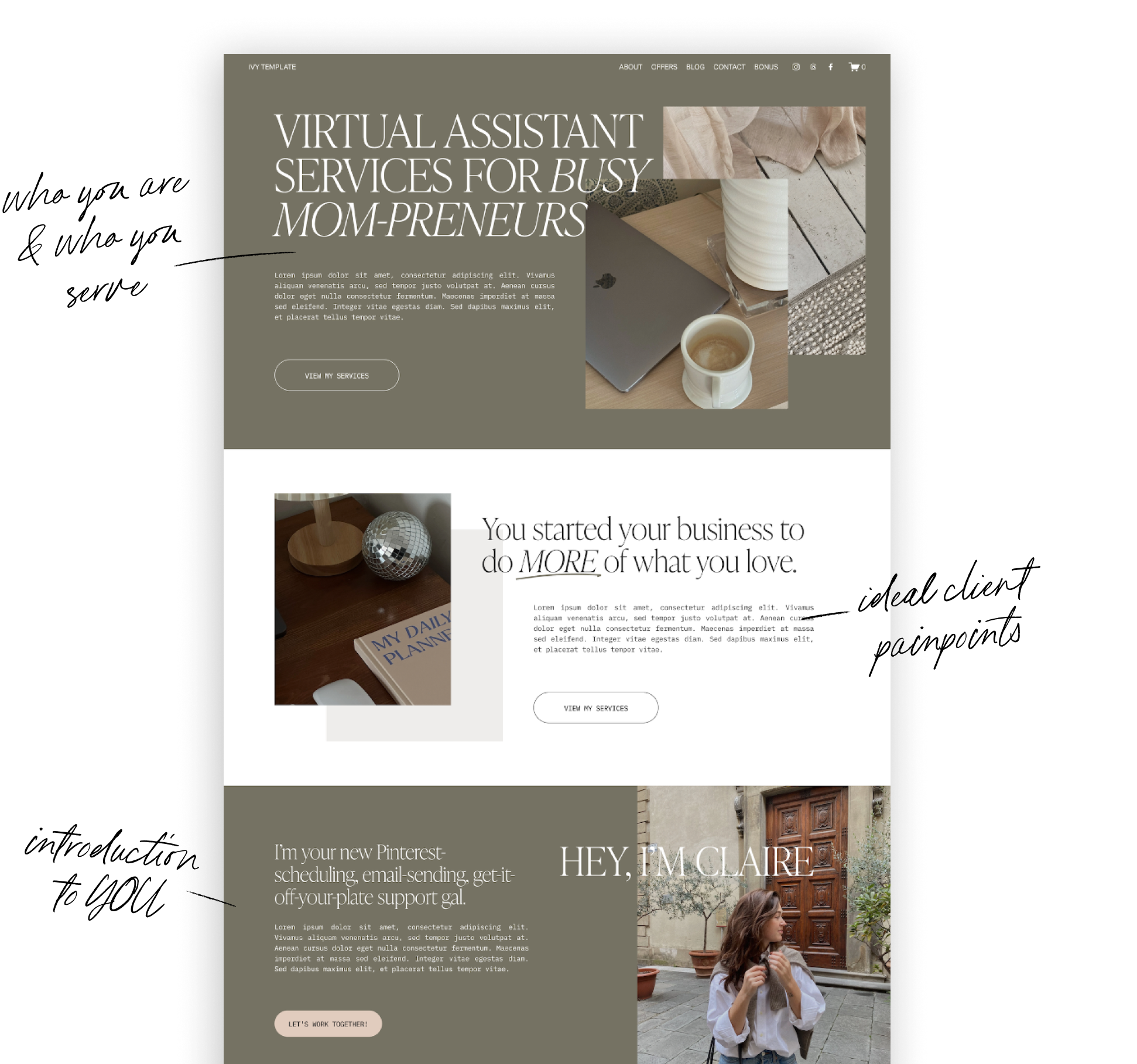
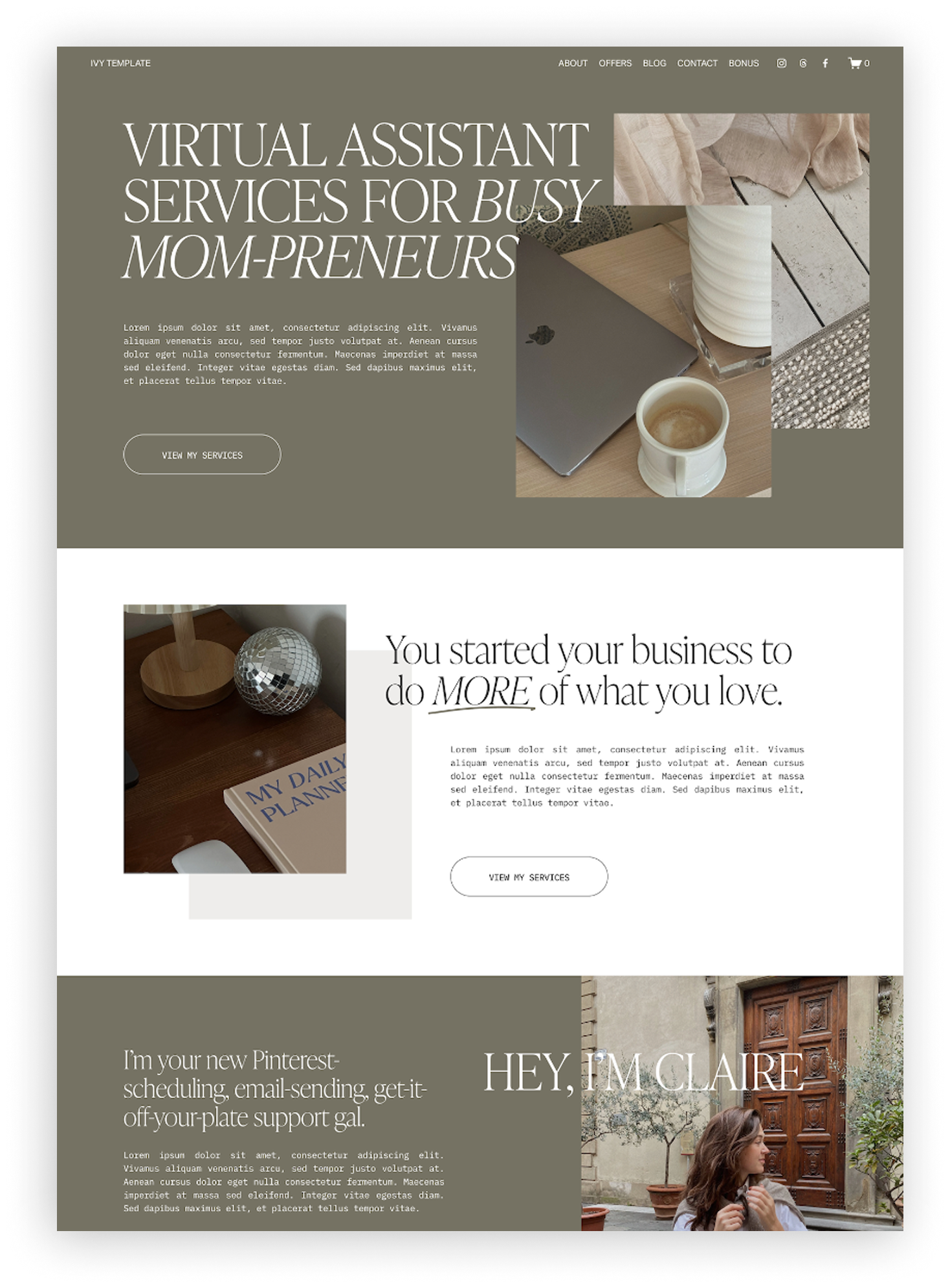
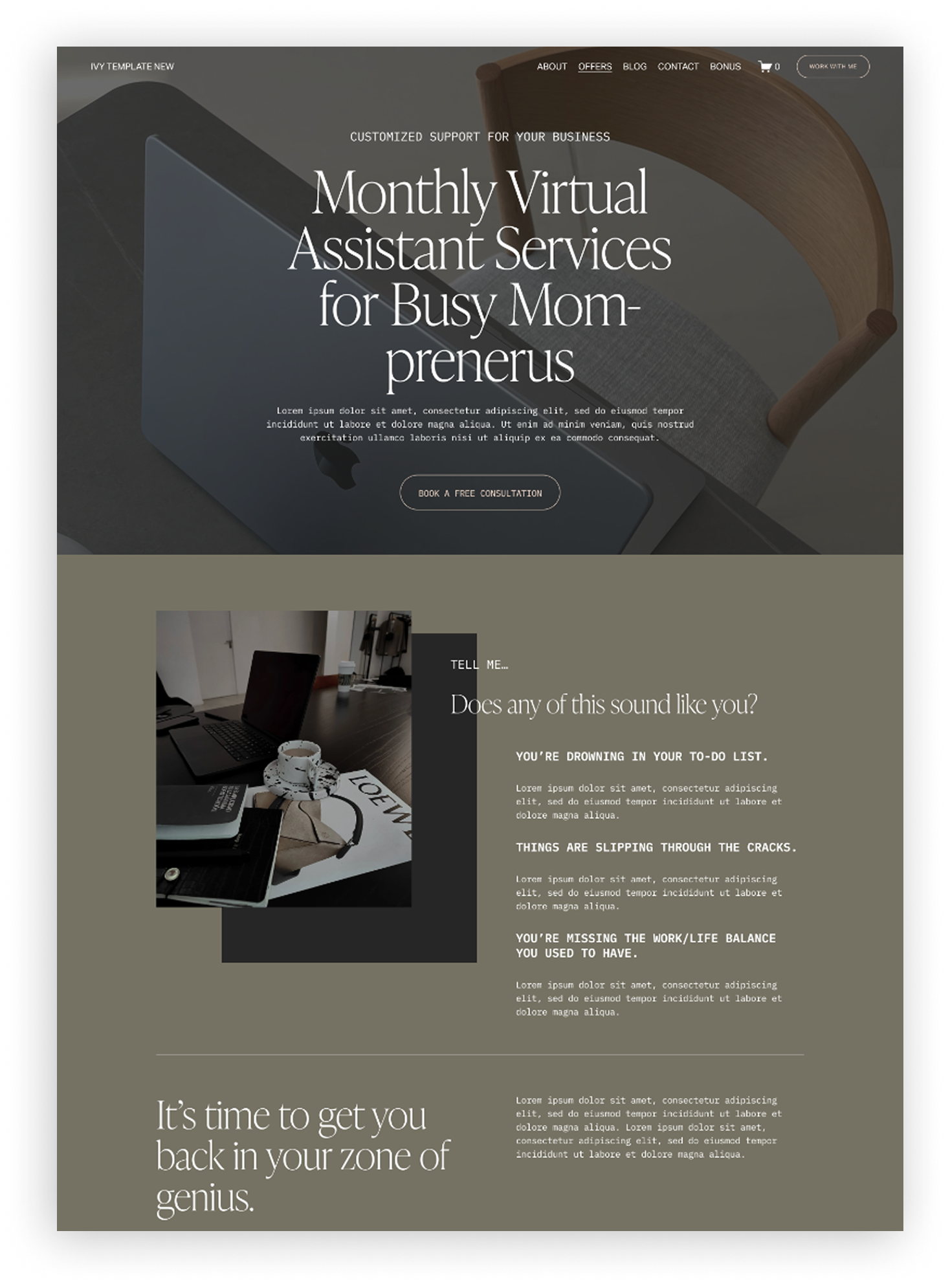
Pages Inside Your Template
-
![A screenshot of a website homepage for a virtual assistant service. The page features large text that reads 'VIRTUAL ASSISTANT SERVICES FOR BUSY MOM-PRENNEURS', with a section of lorem ipsum text, a 'VIEW MY SERVICES' button, and images of a laptop, coffee cup, planner, and a woman outdoors.]()
Home
to help website visitors find exactly what they need -
![Homepage of a website offering monthly virtual assistant services for busy moms, featuring a dark themed design with images of a laptop and workspace.]()
Services
to detail your specific services, packages, and offerings -
![Webpage homepage with a background image of a cozy, stylish coffee shop with wooden chairs, a round wooden table, a basket, and a window with blinds. Text overlay: 'Ready to get started?' and a button labeled 'Inquire Now'.]()
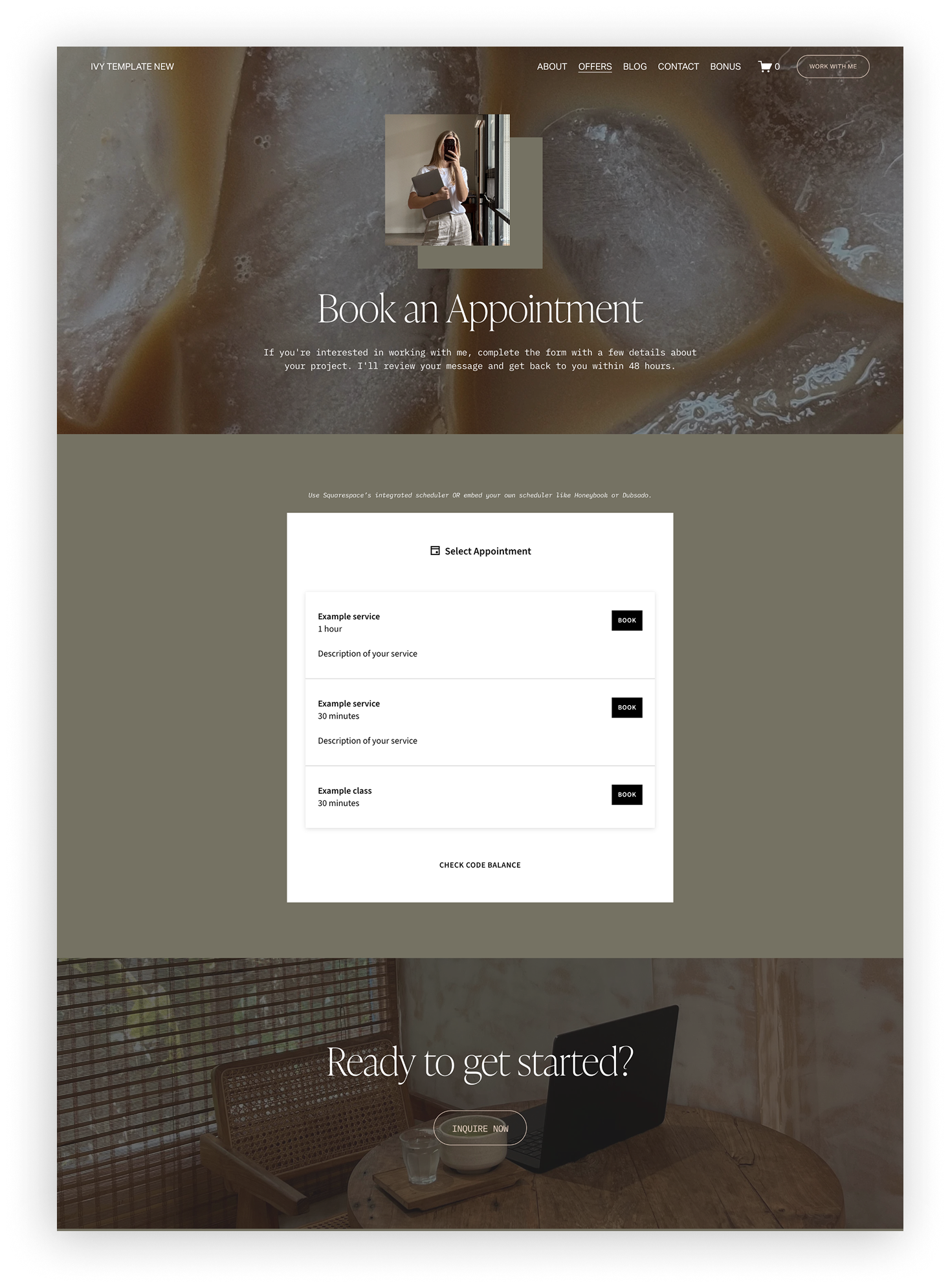
Scheduling
to look professional when sharing your call link (whether you use Acuity, Honeybook, Dubsado, or something else) -
![Screenshot of a modern personal or business website with a dark theme, featuring images of a woman with light hair taking selfies, and various sections of text promoting services or interests.]()
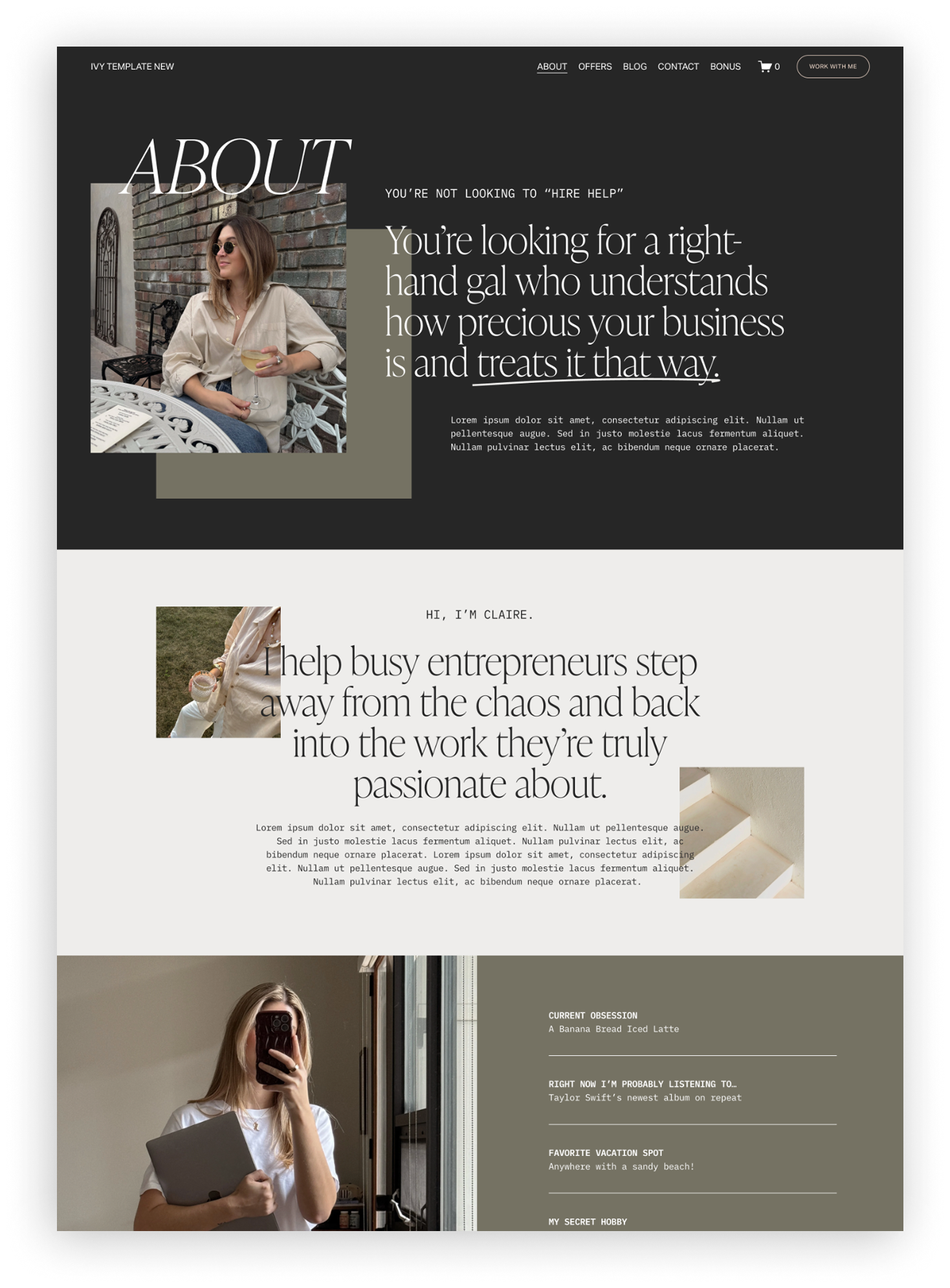
About
to build trust and help your clients understand why you’re the best VA to hire -
![Screenshot of a website homepage for shopping digital products, featuring a header navigation menu, a main heading saying 'Shop Digital Products', images of digital product designs, and a section offering free resources with buttons to read the blog or grab a freebie.]()
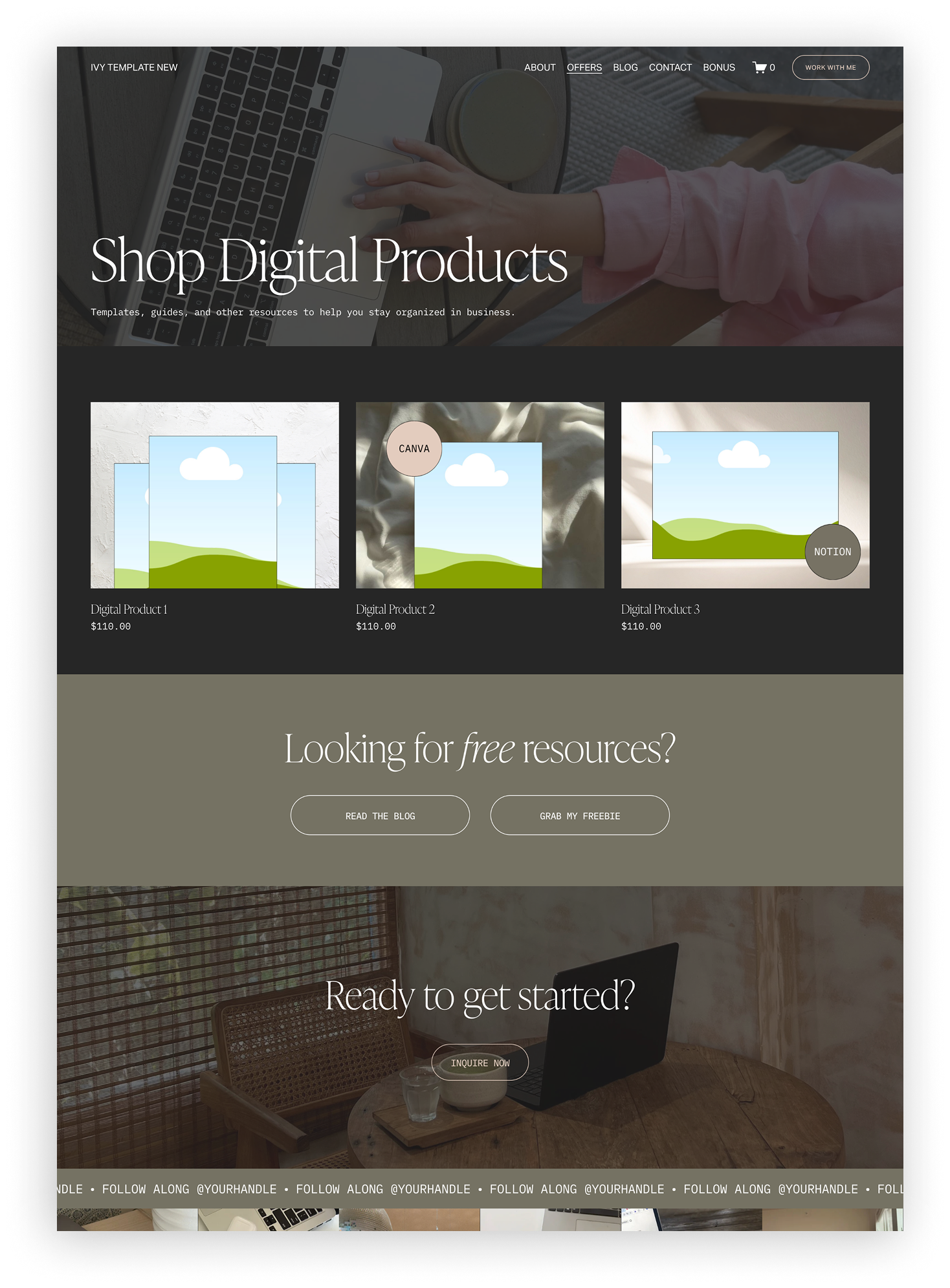
Shop
to create passive income through selling digital products -
![A website homepage with a blog section titled "On the Blog" and a subtitle "Tips for Online Business Owners." The page features images of a coffee cup on a bed, a staircase, a work desk with a laptop and coffee, and a close-up of a coffee cup on a bed. There are blog post titles and dates underneath each image.]()
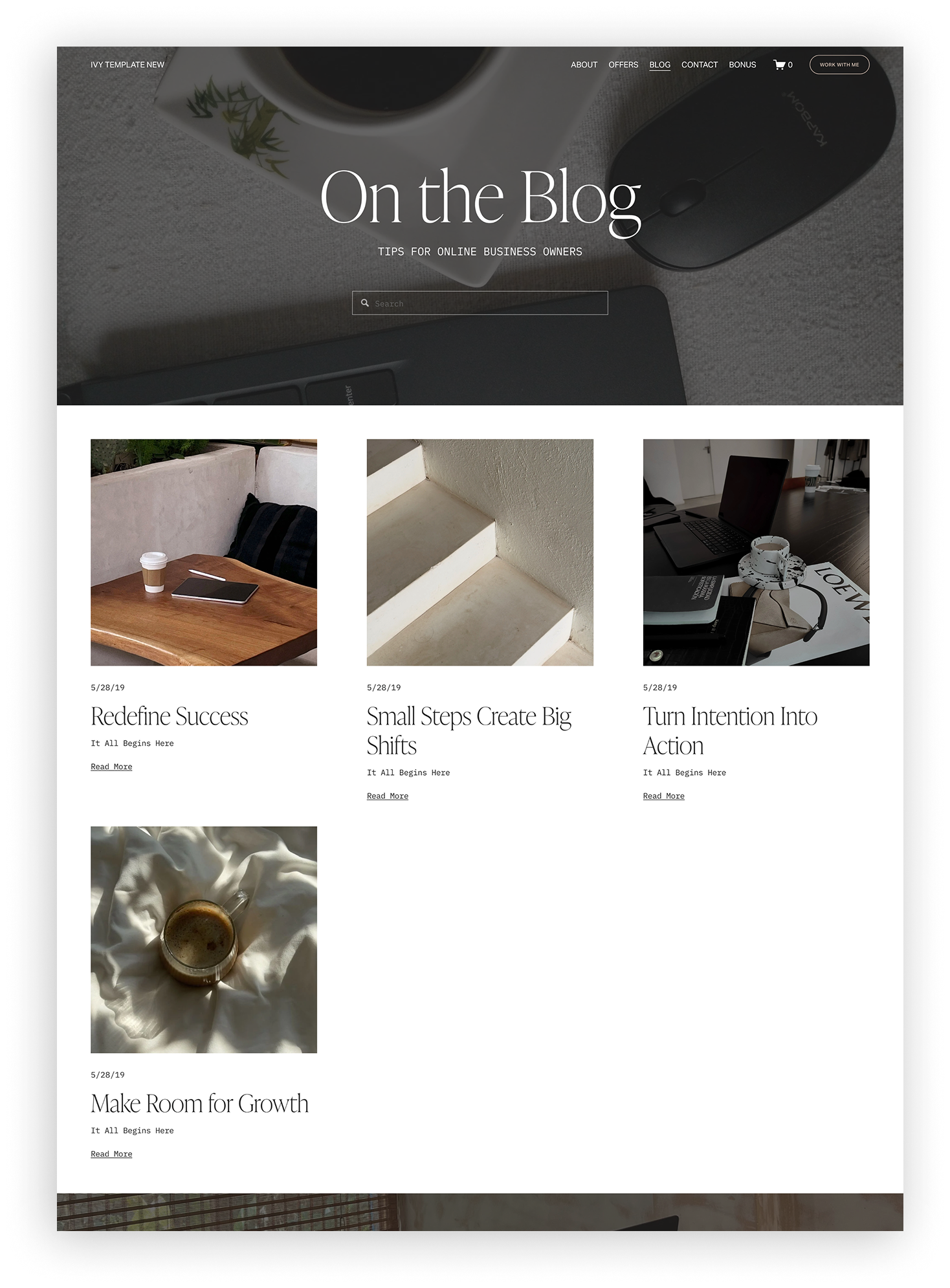
Blog
to create longform content and start getting found on search engines -
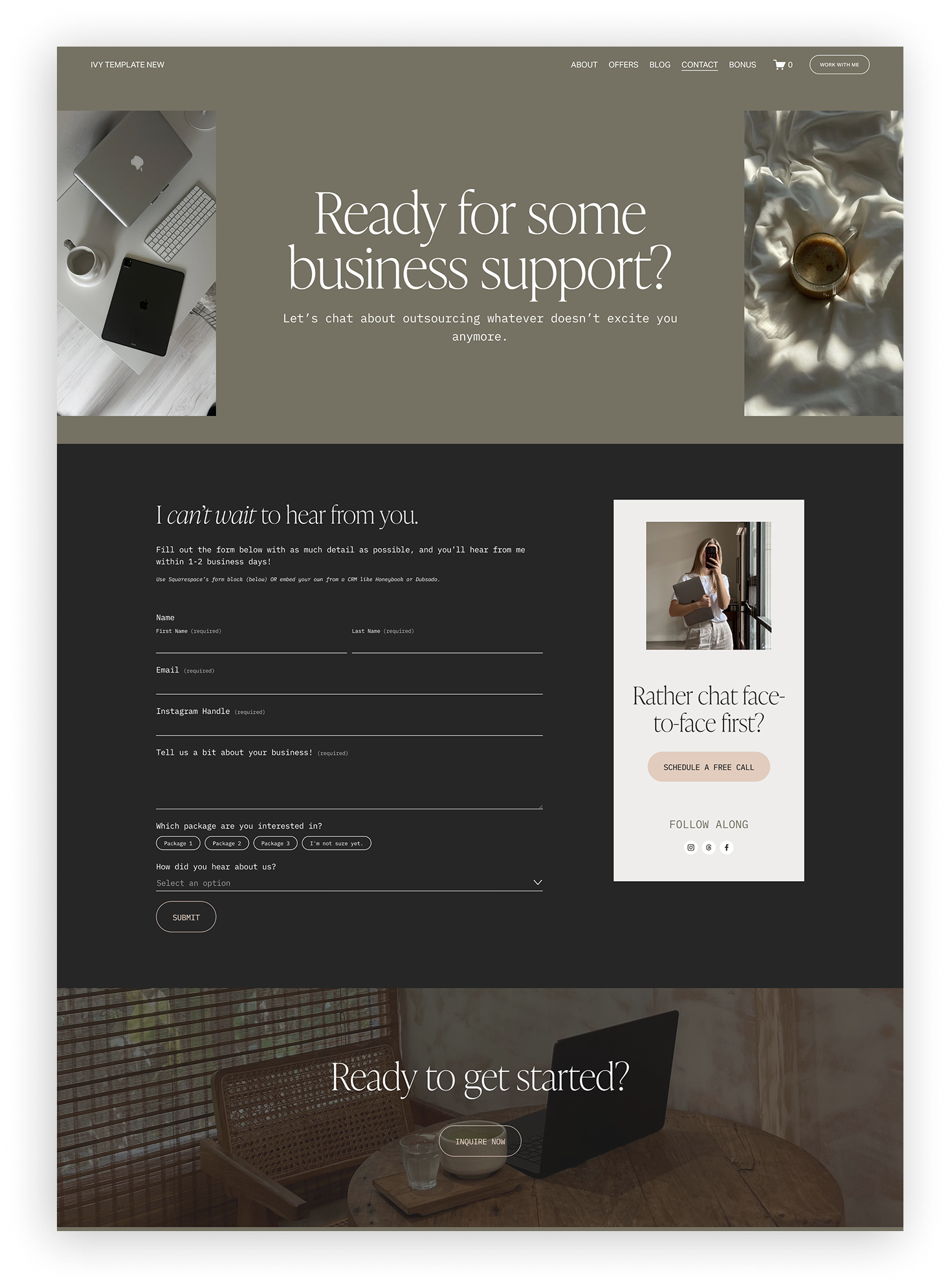
![A web page for a business support service, featuring a dark header with navigation links, a main section with a message about outsourcing, a contact form, and an image of a woman taking a selfie with a laptop and a cup of coffee, with a cozy, sunlit interior background.]()
Contact
to simplify how to reach out and book you -
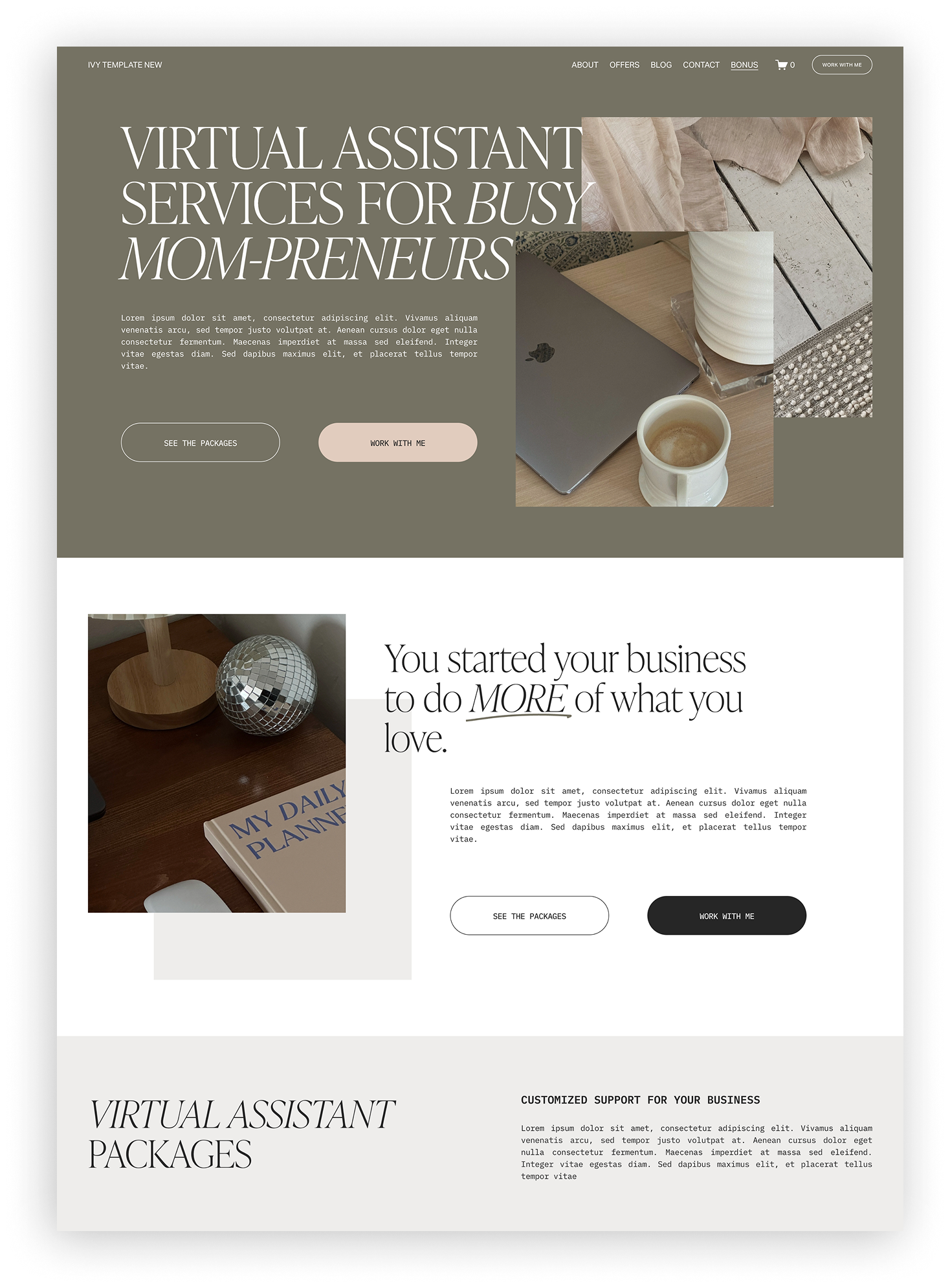
![A website homepage with a header menu, large text promoting virtual assistant services for busy mompreneurs, and images of a laptop, coffee, and workspace decor.]()
1-page Website
to give you a quick launch if you don’t have time for a full website customization right now -
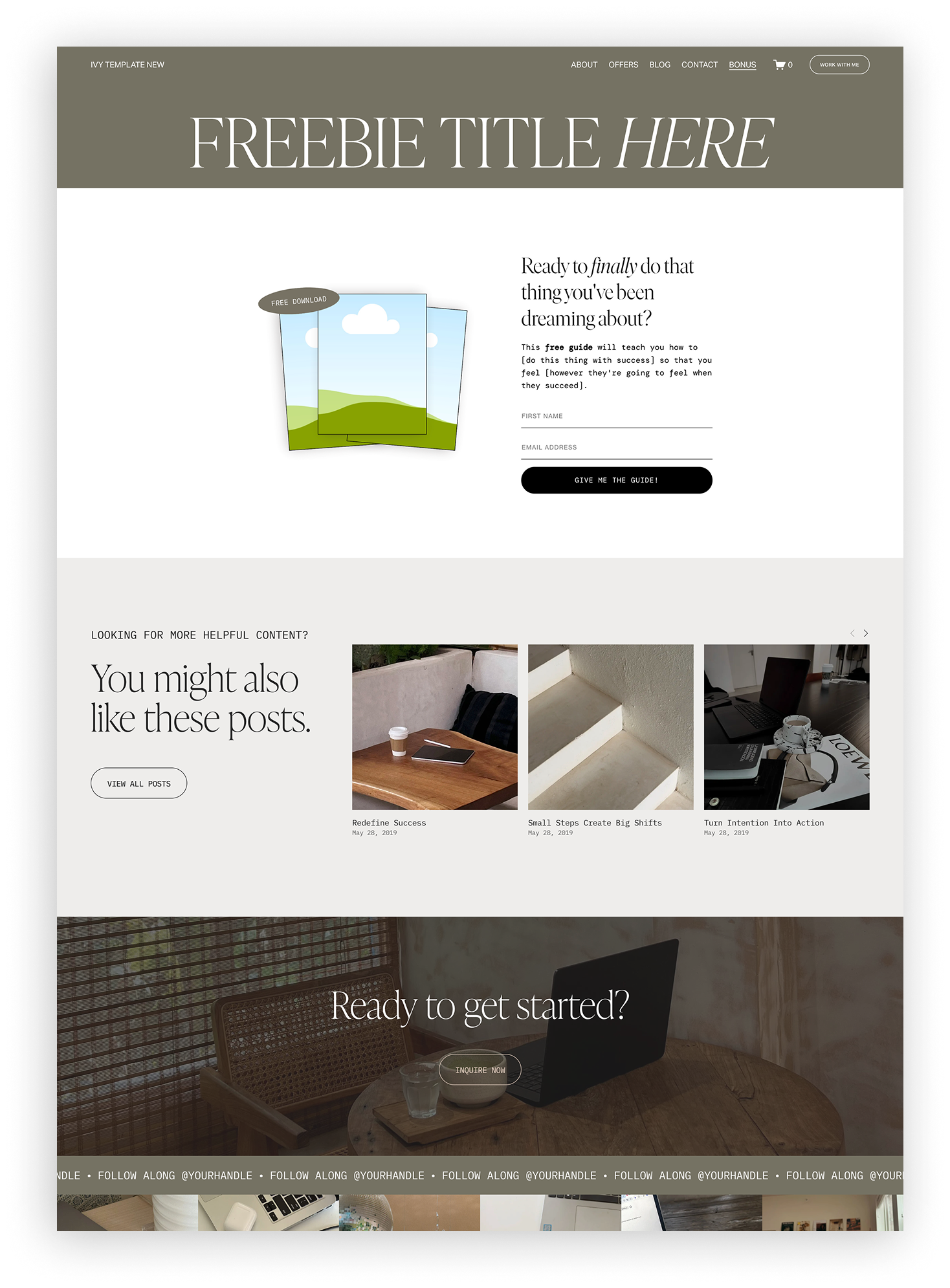
![Screenshot of a website homepage with a large header that says 'FREEBIE TITLE HERE' and a subheader about teaching how to do something with success. There is an illustration of three cards with a landscape and sky design. The page includes a form to sign up for a free guide, navigation links at the top, and sections of related blog posts with images.]()
Freebie Opt-in
to start building your email list -
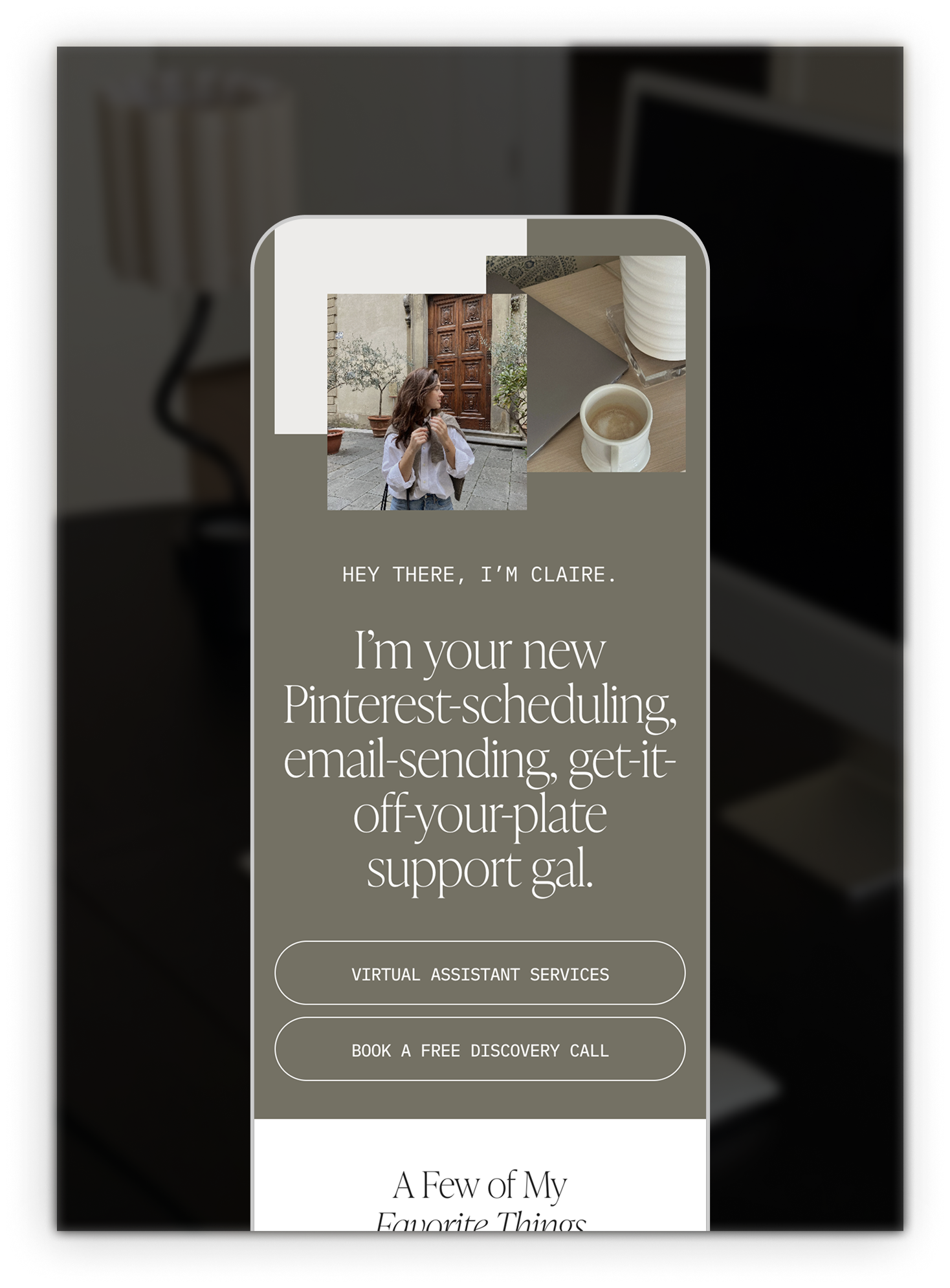
![A mobile phone screen displaying an app with a woman standing outside a building, a coffee cup, and text introducing a Pinterest scheduling service.]()
Link in Bio
to make a great first impression when clients find you on Instagram, Threads, and more

Ready to launch without losing it?
01. Choose Your Aesthetic
All templates are built with the exact same StoryBrand-inspired layout, so all you have to do is pick the style that best matches your brand. We shop by vibes here. 😎
02. Check Your Inbox
After purchase, check your inbox for instant access to your new website along with a guide that has step-by-step tutorials for customizing your site.
03. Add in your style and content
Change colors and fonts, swap out photos, and use the copy prompts to write your website content. Each template is completely customizable without code!
04. Make it live + start booking clients
Follow the Launch Checklist to make sure your website’s 100% ready to be seen by your dream clients… and then celebrate, of course!
★ ★ ★ ★ ★
“Today my husband had a 1:1 call with the CMO of his company, and he told her about my business, which led to her looking at my website during their call. She was really impressed with my website and surprised to learn it was DIY’d. And that is definitely thanks to you and your template!!”
– Sarah, Virtual Assistant
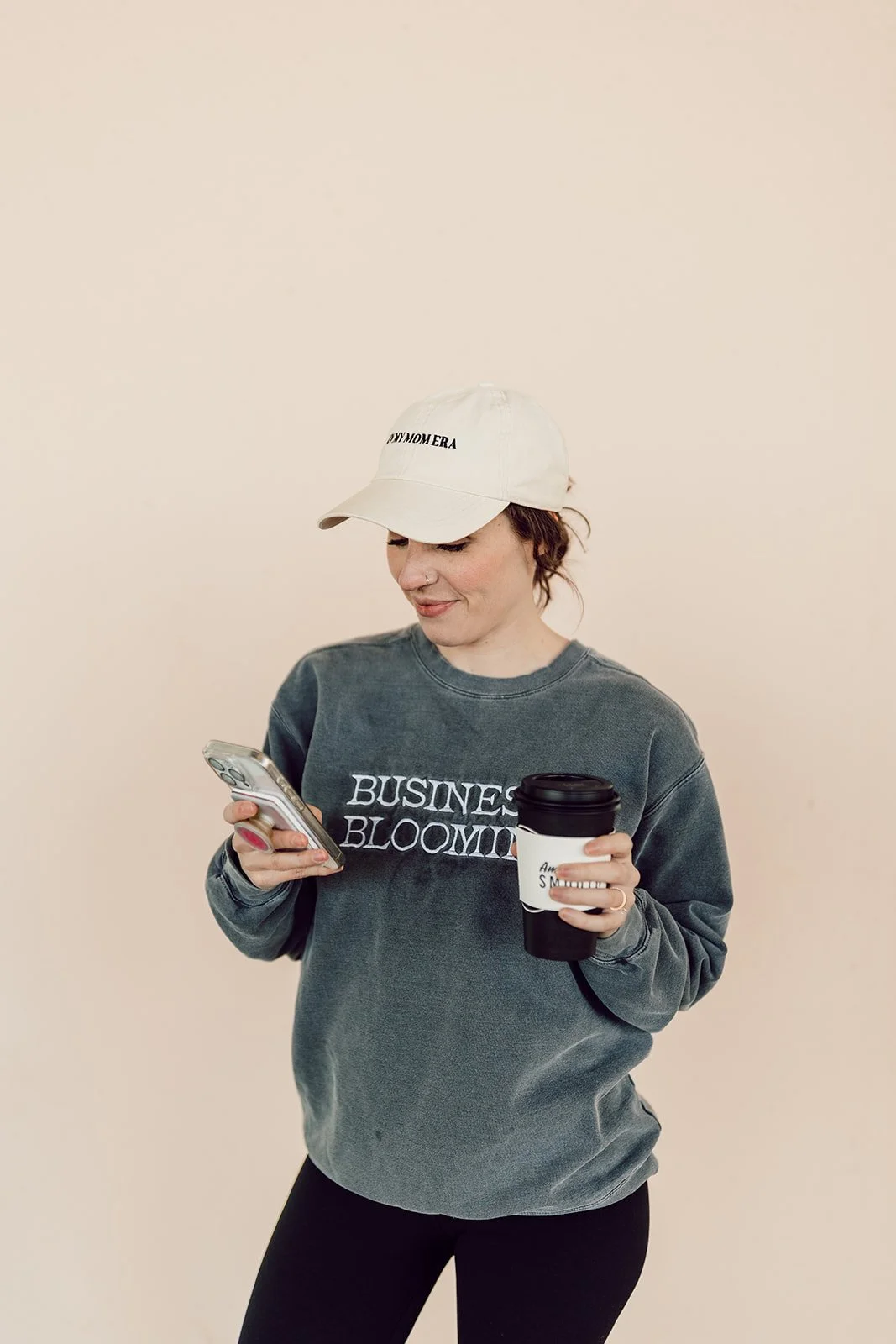
hey there, i’m claire!
And I’m obsessed with helping busy moms check “launch website” off their to-do lists in record time.
When I started my web design business back in 2019, my husband and I were DINKs (Dual Income No Kids, lol) and I had hours to plunk around with my first website. Fast forward to today, and you'll find me chasing around my 2 yo, panic-deciding dinner at 5:59pm, and wondering where my energy went – all while serving 30+ clients a year. I know that if I had to launch a brand new website today, things would look a lot different. So trust me when I say: I built this shop for exactly the season you're in.
Frequently Asked Questions
-
I strongly believe that Squarespace has the perfect balance of being user-friendly while also being beautiful. Their extensive help guides and support make it easy for anyone learn.
-
I love Squarespace because of its user-friendliness. When you purchase a template you get access to the Website Launch Guide, which will teach you to use the platform, as well as everything else you need to know to edit and launch your site!
-
Right after purchase, check your email for a link to access your brand new website! As well as a link to access the Launch Guide with tutorials, tips, and checklists to help you launch. You can then follow the short videos that walk you through setting up and styling your new website.
-
You will have to upgrade your Squarespace website from a trial to a paid website. (See pricing here + you’ll receive my Circle Member discount your first year!)
You’ll also need a domain name. (You can get your domain free for one year with an annual Squarespace subscription)
-
Honestly, my templates are really created for any service provider selling services or packages! You’ll find that the copy prompts in the template are more focused on VAs, but other than that, this template layout is perfect for any service provider!
-
If Squarespace has it, you can add it! When you purchase this template the demo pages listed above are built for you, but that's just the beginning. It’s easy to add on as many pages or features as your brand needs, and that includes any of the following of Squarespace’s built-in features: blog, shop, portfolio, extra pages, email marketing, scheduler, courses, custom code, galleries, videos, and more.
-
Absolutely! All fonts, colors, photos, and text on the template can be changed. We recommend starting with the template that most closely matches your brand’s aesthetic (to make customizing that much easier), but you can absolutely change anything you want. There are also a few short tutorial videos in the Launch Guide to show you how to change your fonts and colors.
-
Yes, every template has already been mobile optimized for you! As you customize and add things, you’ll need to make sure the mobile version still looks great, but Squarespace’s simple mobile editor makes this easy.
-
Yes! You can either transfer it to Squarespace, or you can leave it registered and hosted with its provider and connect it to your Squarespace site. Information on this is also found in the Launch Guide that comes with your purchase.
-
Due to the immediate delivery of this digital product and accompanying resources, THERE ARE NO REFUNDS. Please reach out if you have any questions or problems with your order.

Your dream clients are out there Googling for someone exactly like you.
What are you waiting for?
Looking for a different aesthetic?
Check out these templates!
(Hint: They’re all actually the “same” template - aka my signature layout - just styled in different aesthetics to get you one step closer to a fast launch and to keep you from wondering “am I picking the right template??”)
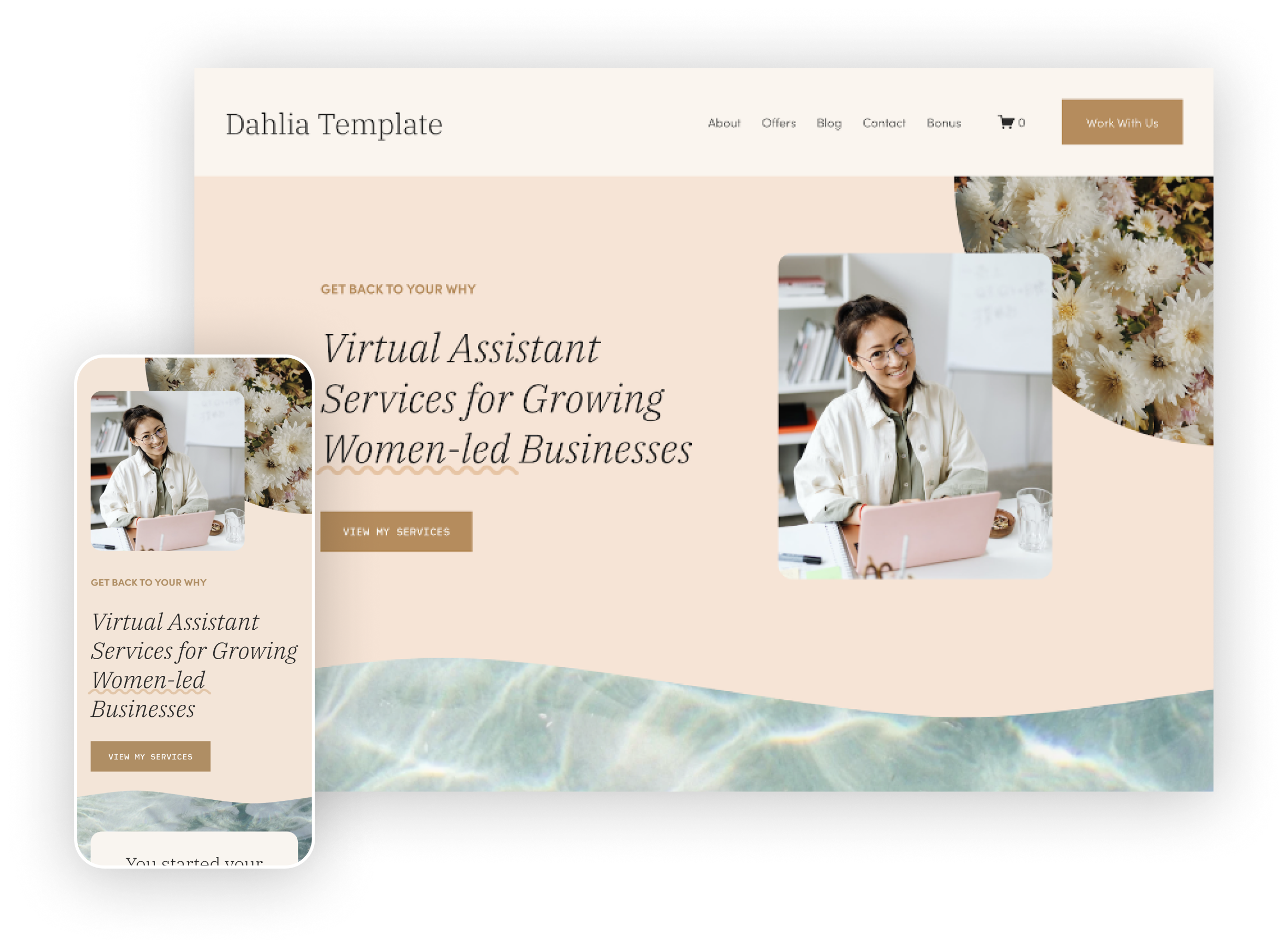
SHOP DAHLIA →
bright • happy • textural
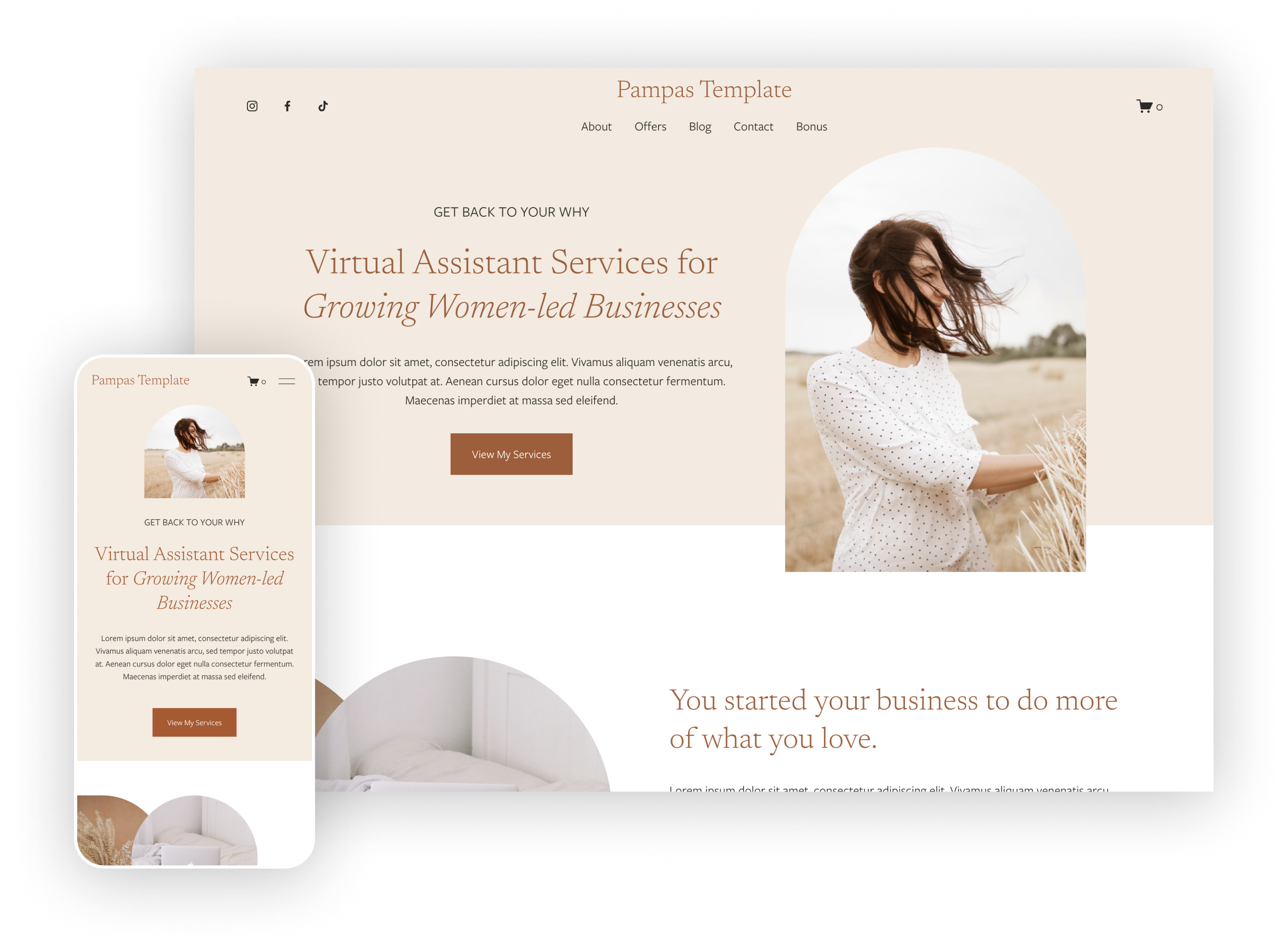
SHOP PAMPAS →
neutral • modern • simple