
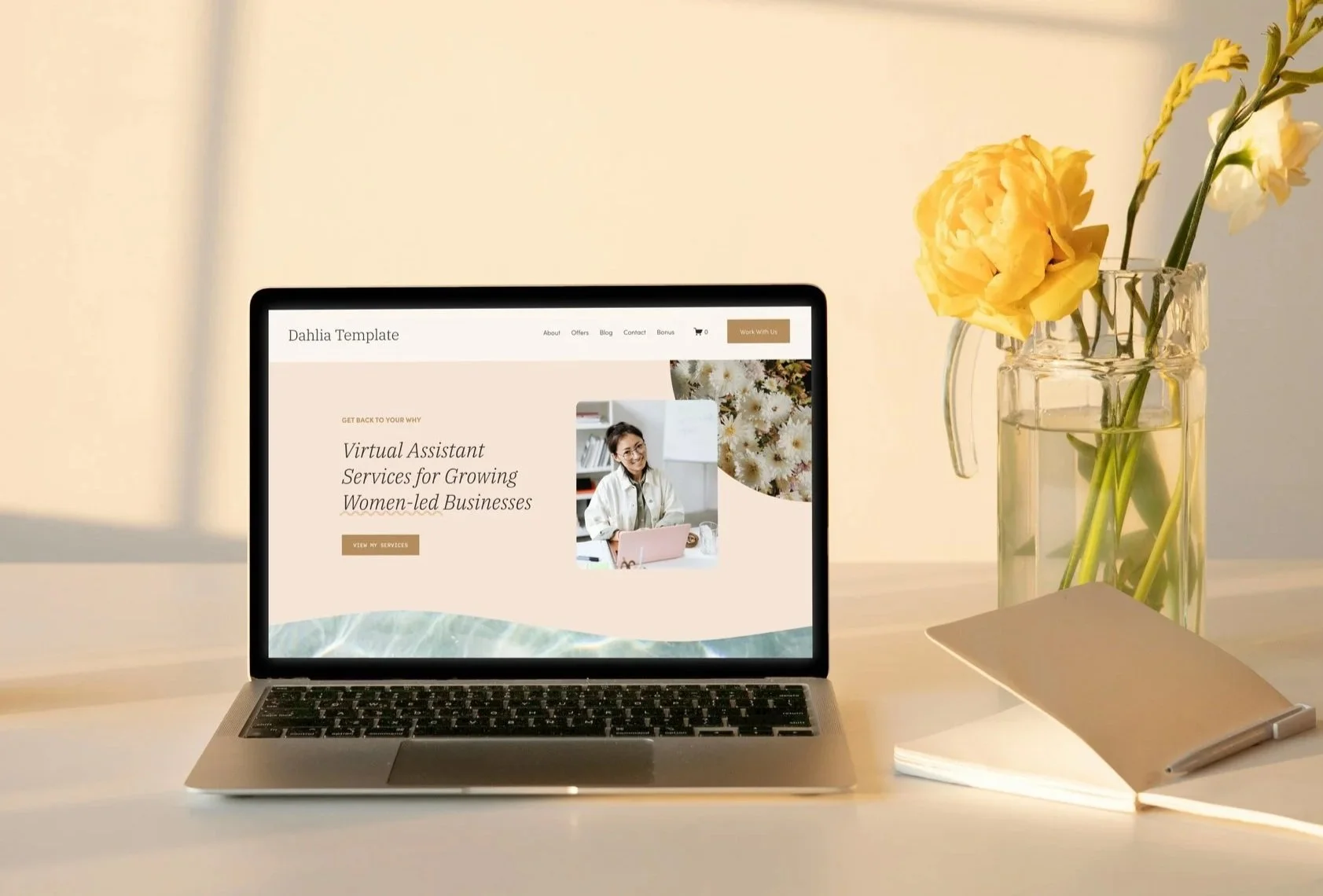
Virtual Assistant Squarespace Template
Dahlia Squarespace Template
$297
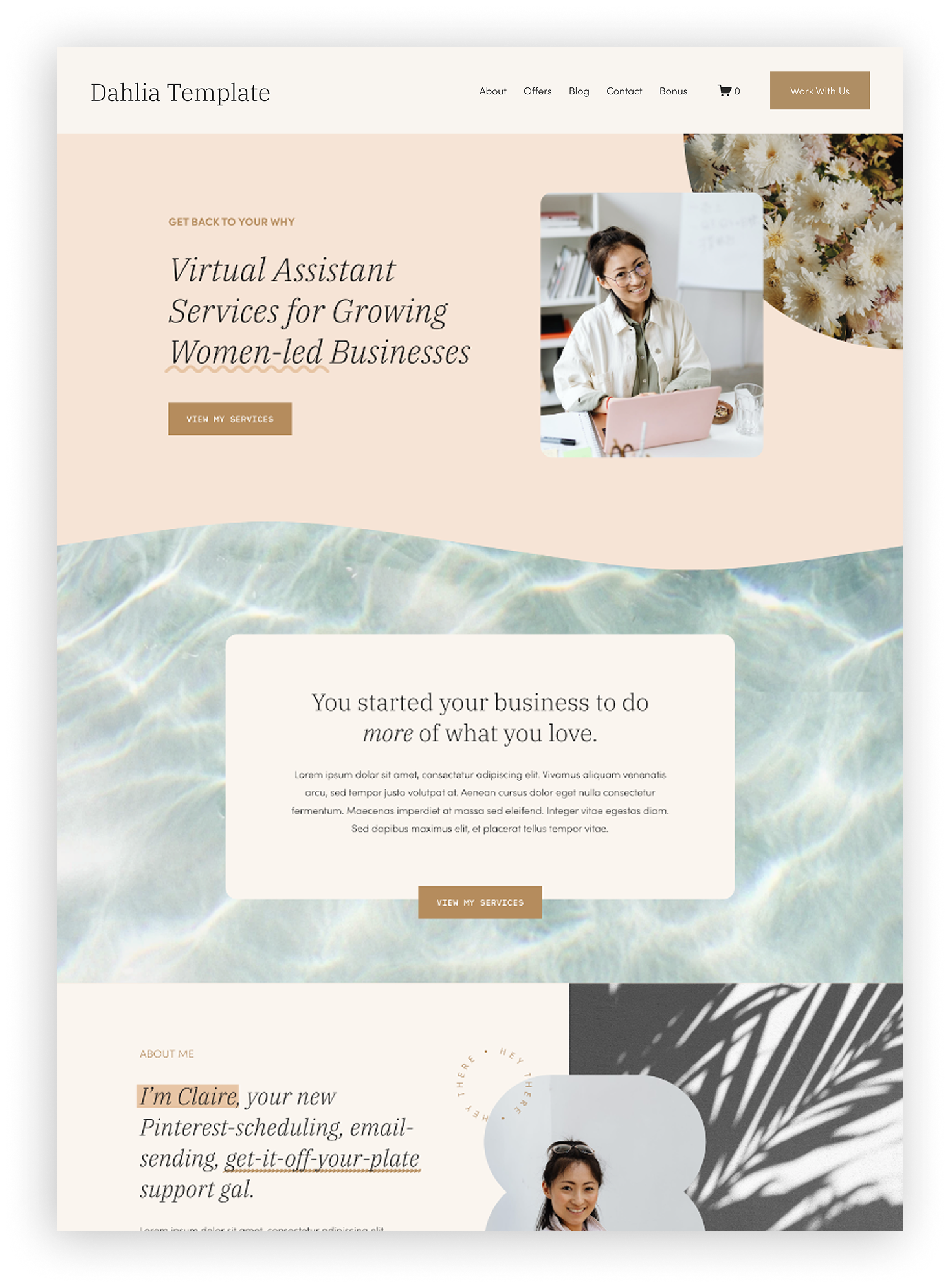
Dahlia is a bright, playful template designed to help you launch your Virtual Assistant website and start booking clients fast.
✨ Aesthetic: Happy, Feminine, Playful, Textural
💻 Layout: Follows the StoryBrand Framework
📄 Pages Included: 15
Send your next client to your website, not your dm’s.
Built Strategically for
VIRTUAL ASSISTANTS
Fully Customizable
NO CODE NECESSARY
Tutorials Included
HOW-TO GUIDES + VIDEOS

A VA Website Shop Template is right for you if…
You’re a busy Virtual Assistant wanting to look professional online
You wish you could launch fast without having to make a bunch of decisions
You have no idea what to put on your website or where.
You can’t wait to start getting inquiries while you’re out doing other things!
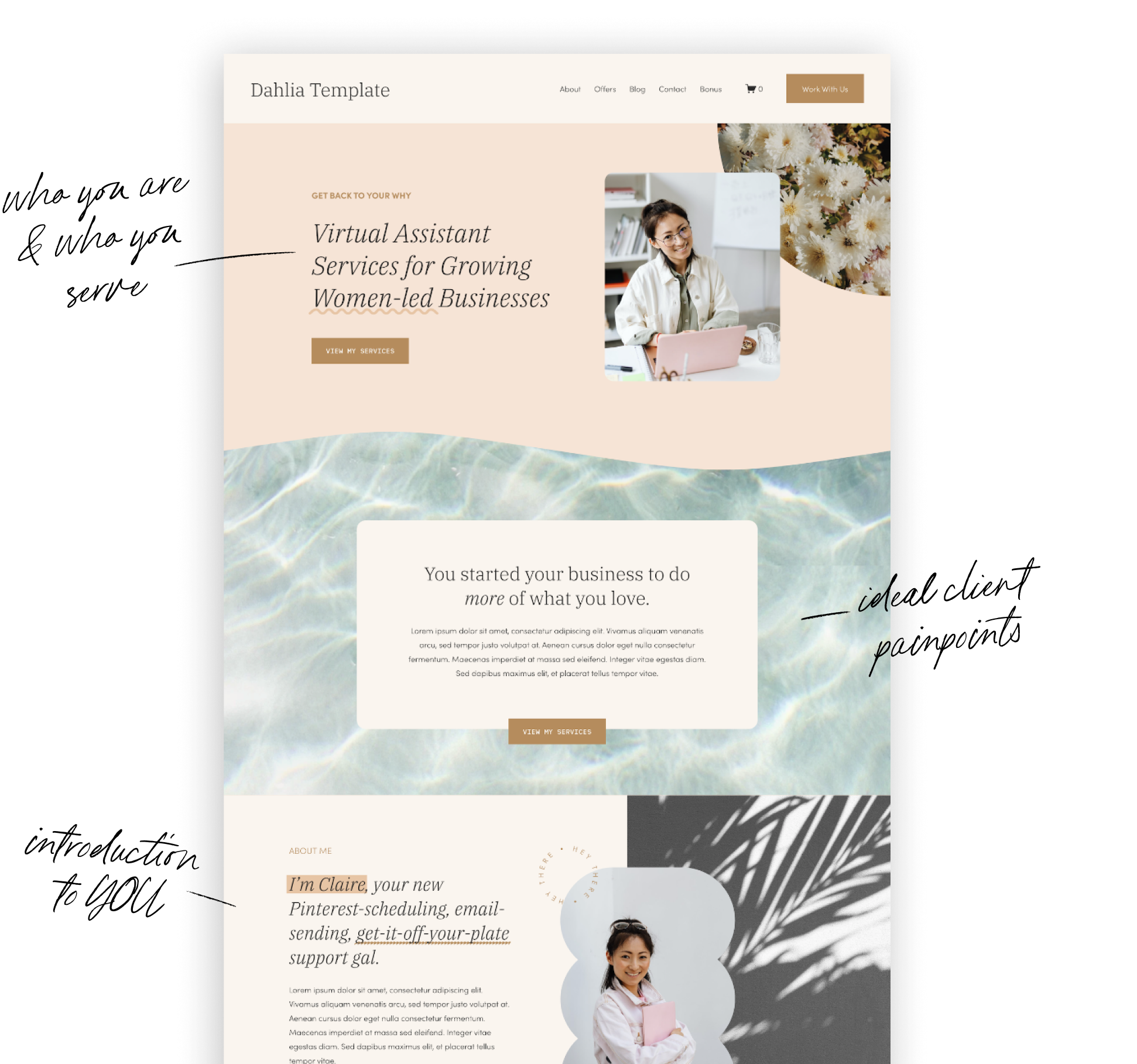
Pages Inside Your Template
-
![Website homepage for Dahlia Template featuring sections about virtual assistant services, a woman smiling at her desk, floral imagery, and navigation menu items like About, Offers, Blog, Contact, Bonus, and a Work With Us button.]()
Home
to help website visitors find exactly what they need -
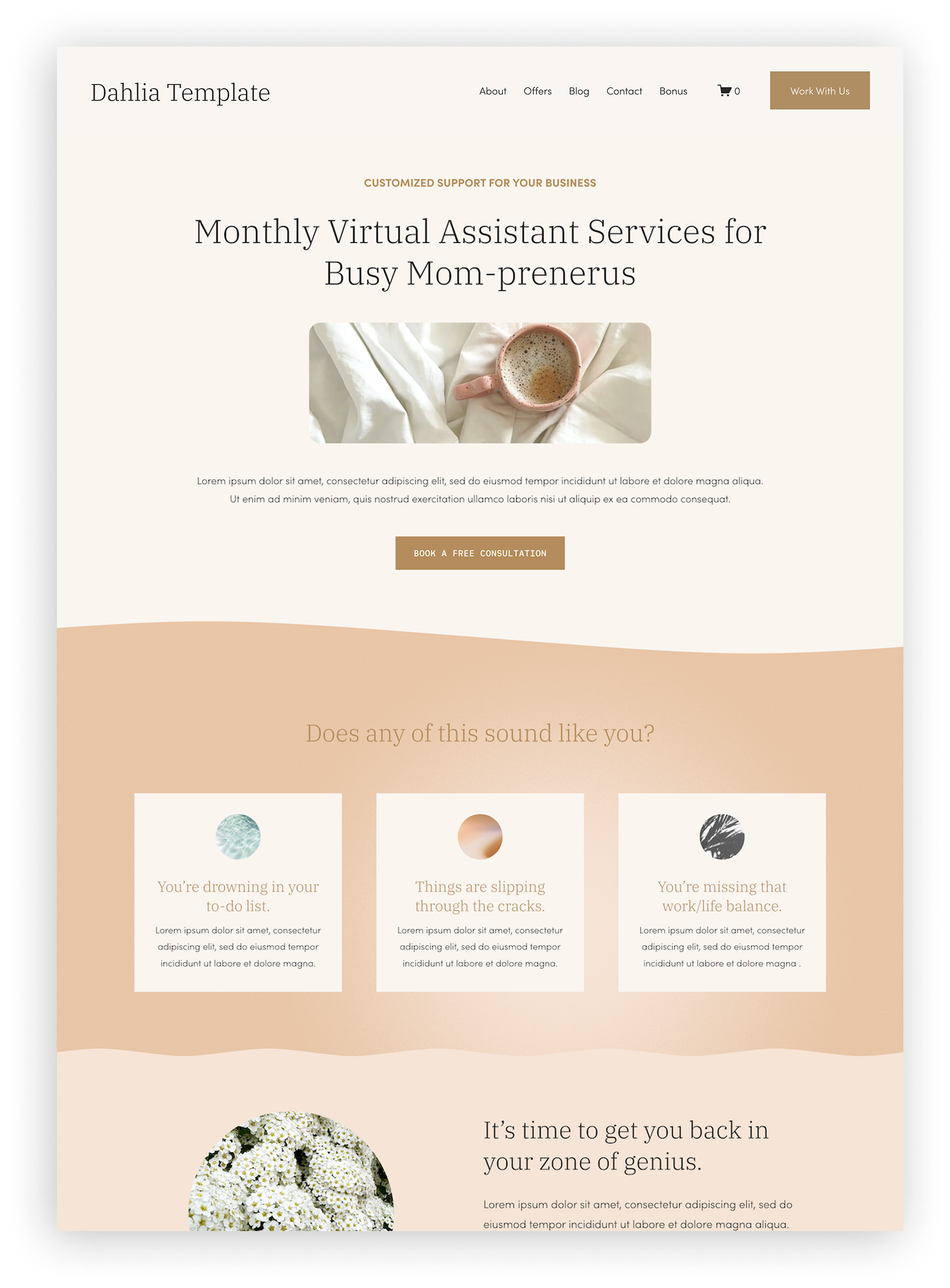
![Homepage of a website called 'Dahlia Template' promoting virtual assistant services for busy moms, with a coffee mug on a bed, navigational menu at the top, and service descriptions below.]()
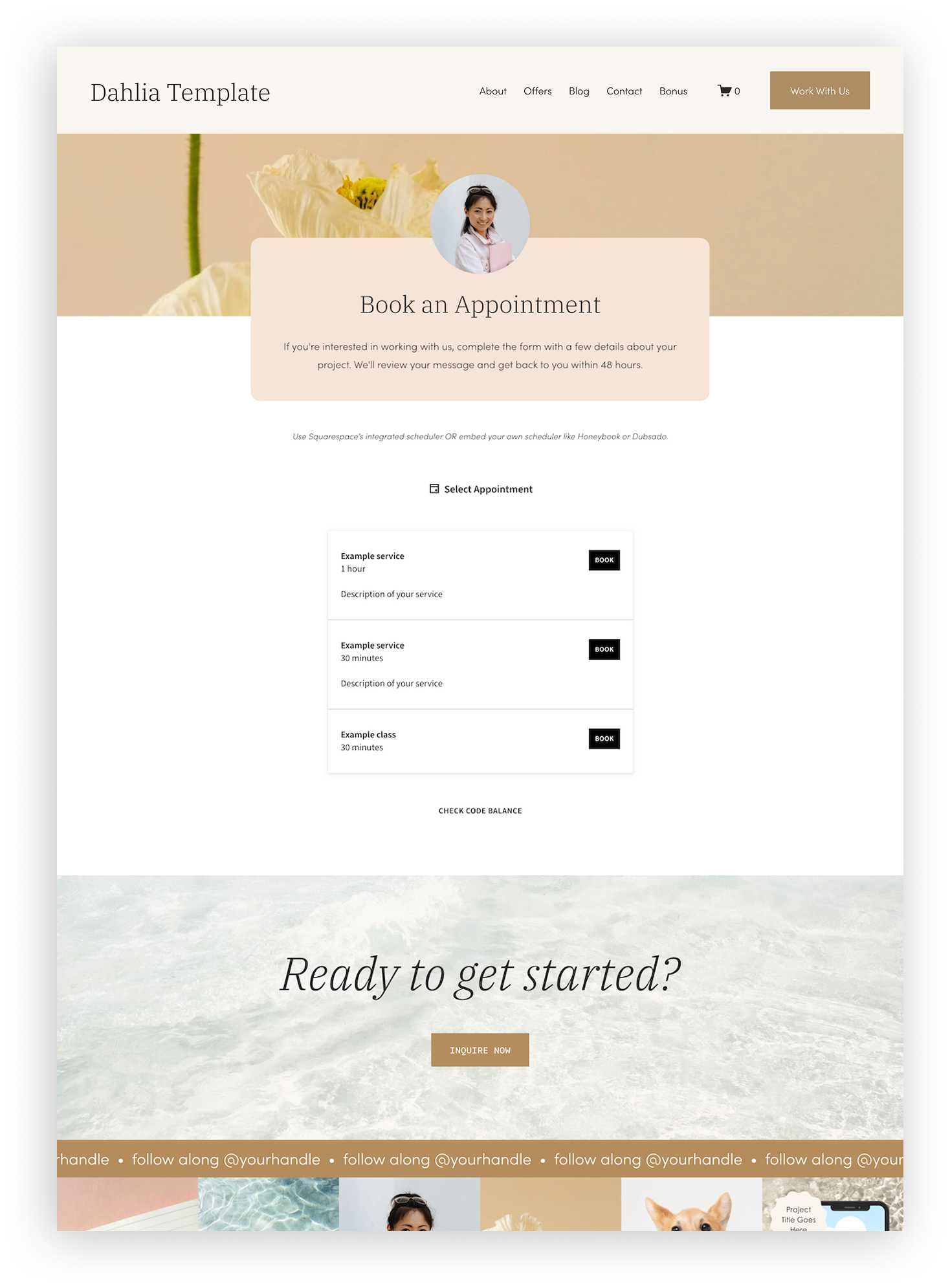
Services
to detail your specific services, packages, and offerings -
![A screenshot of a website template titled 'Dahlia Template' with a header menu including About, Offers, Blog, Contact, Bonus, and a shopping cart icon. The main section features a background image of a beige flower with a profile photo of a smiling woman in a white shirt holding a pink book. Overlaying this is a section titled 'Book an Appointment' with text about completing a form for project inquiries, followed by a list of sample services with a 'Book' button next to each. Below is a section with the text 'Ready to get started?' and a button labeled 'Inquire Now'. The bottom part of the screenshot shows a footer with social media handle prompts.]()
Scheduling
to look professional when sharing your call link (whether you use Acuity, Honeybook, Dubsado, or something else) -
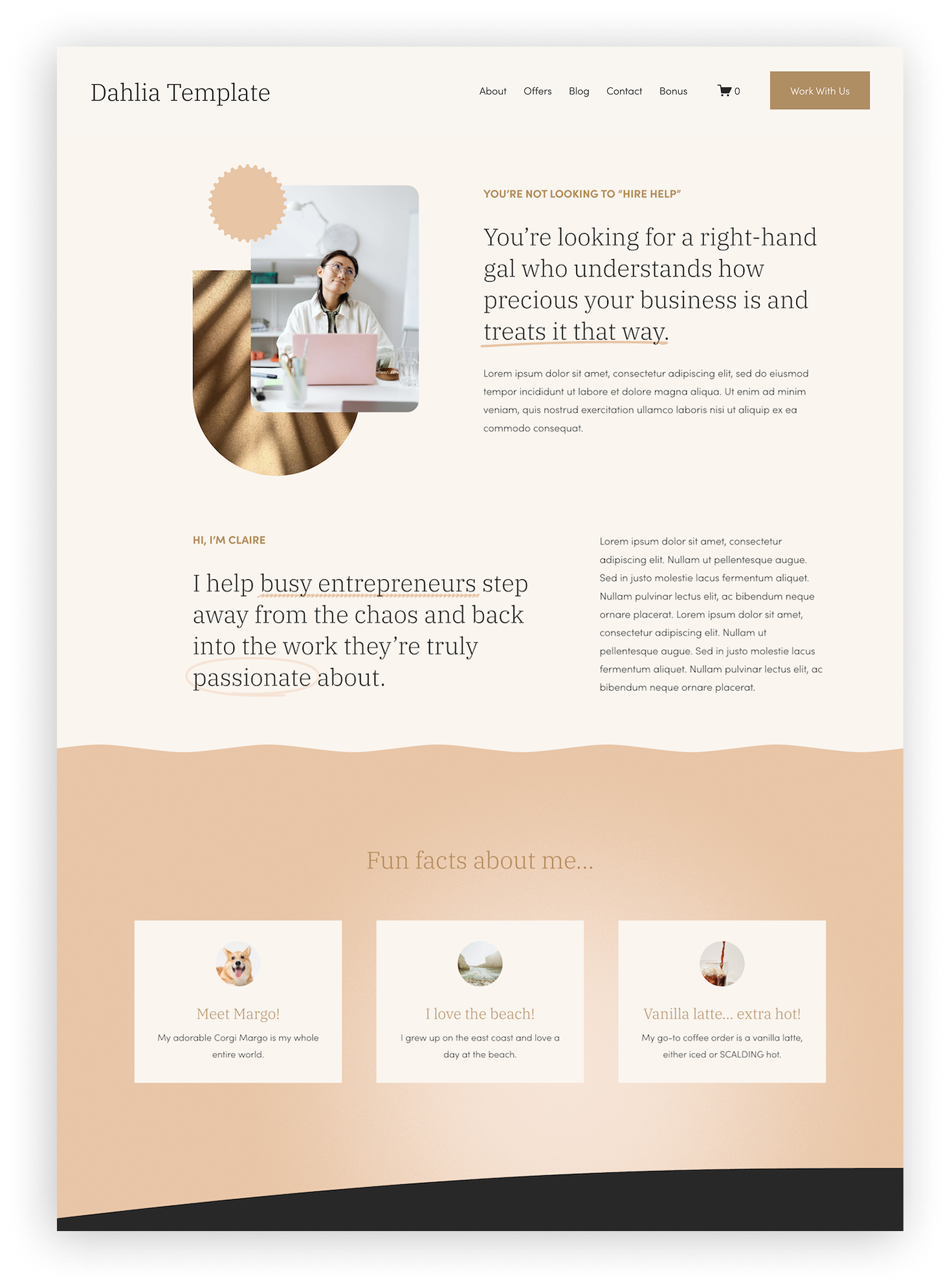
![Screenshot of a web page with a beige and brown color scheme titled 'Dahlia Template'. It features a navigation menu, a main heading about understanding business, a photo of a woman with glasses sitting at a desk, three sections with fun facts about a dog, beach, and coffee, and a footer with additional information.]()
About
to build trust and help your clients understand why you’re the best VA to hire -
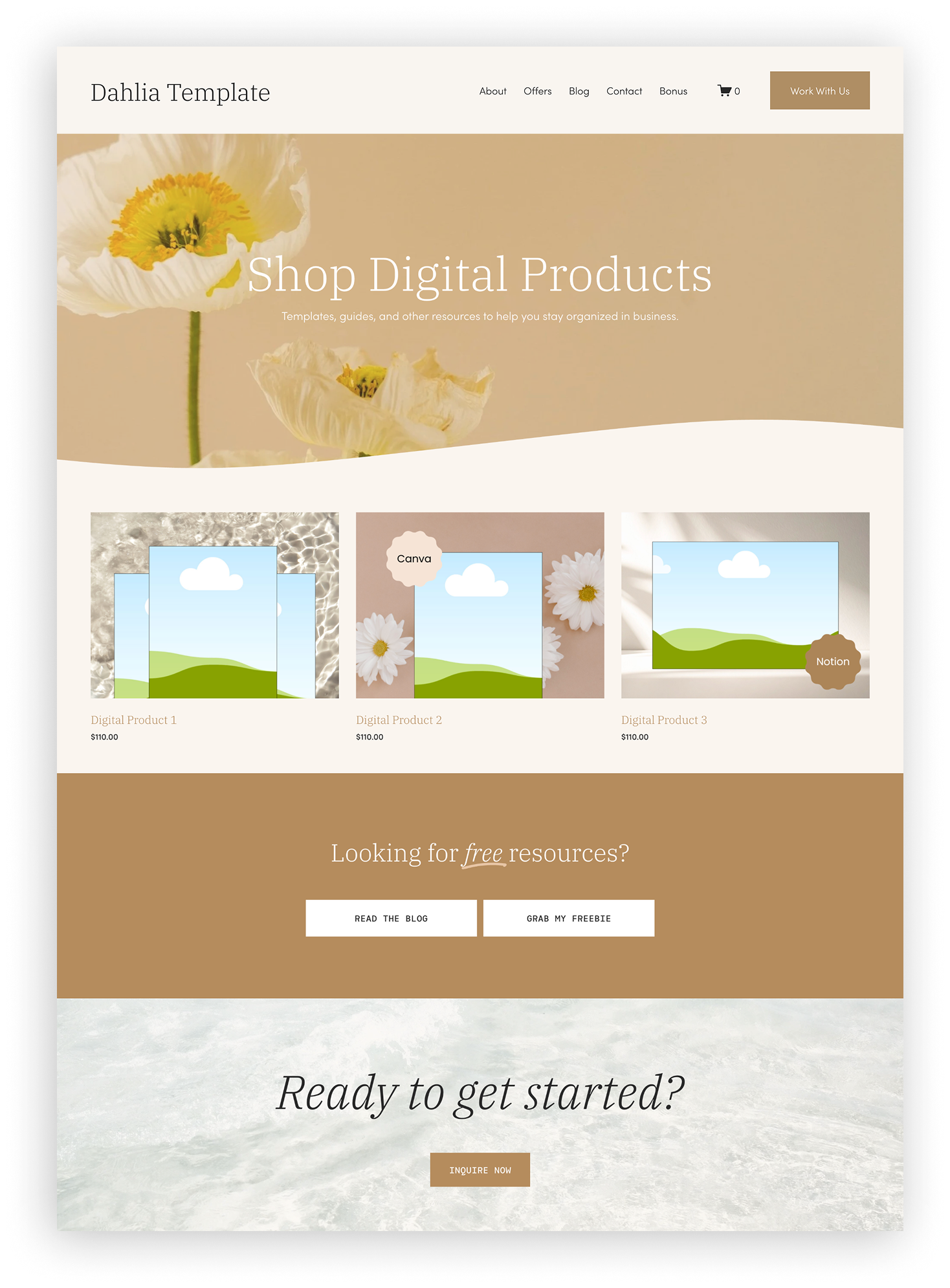
![Screenshot of a website template titled 'Dahlia Template' with a floral background, featuring a header menu, a shopping cart icon, and sections promoting digital products and free resources with buttons for reading a blog, grabbing a freebie, and inquiring now.]()
Shop
to create passive income through selling digital products -
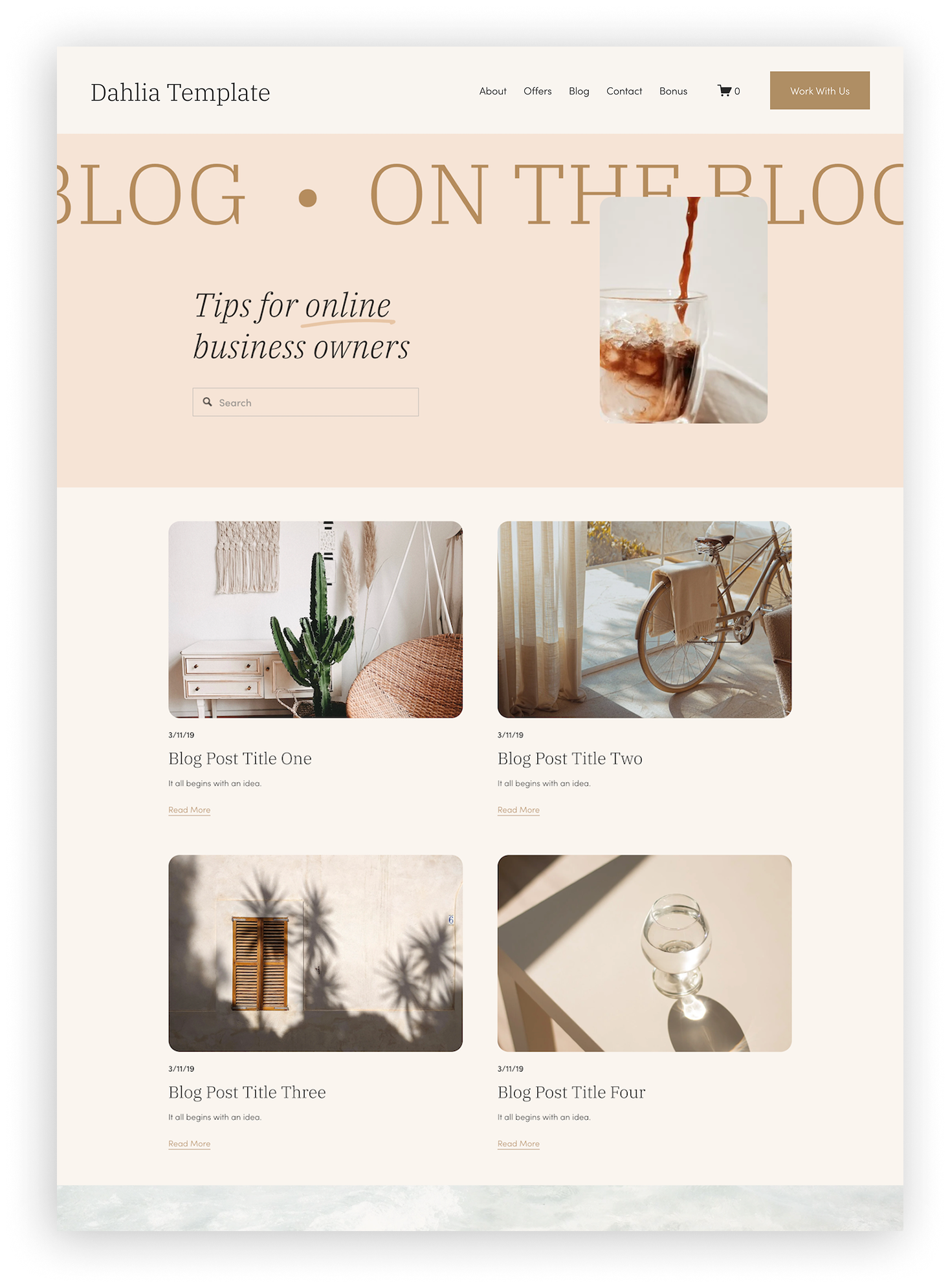
![Screenshot of a blog website called Dahlia Template featuring a minimalist design with articles about home decor and lifestyle, including images of interior decor, a bicycle, and a glass of water.]()
Blog
to create longform content and start getting found on search engines -
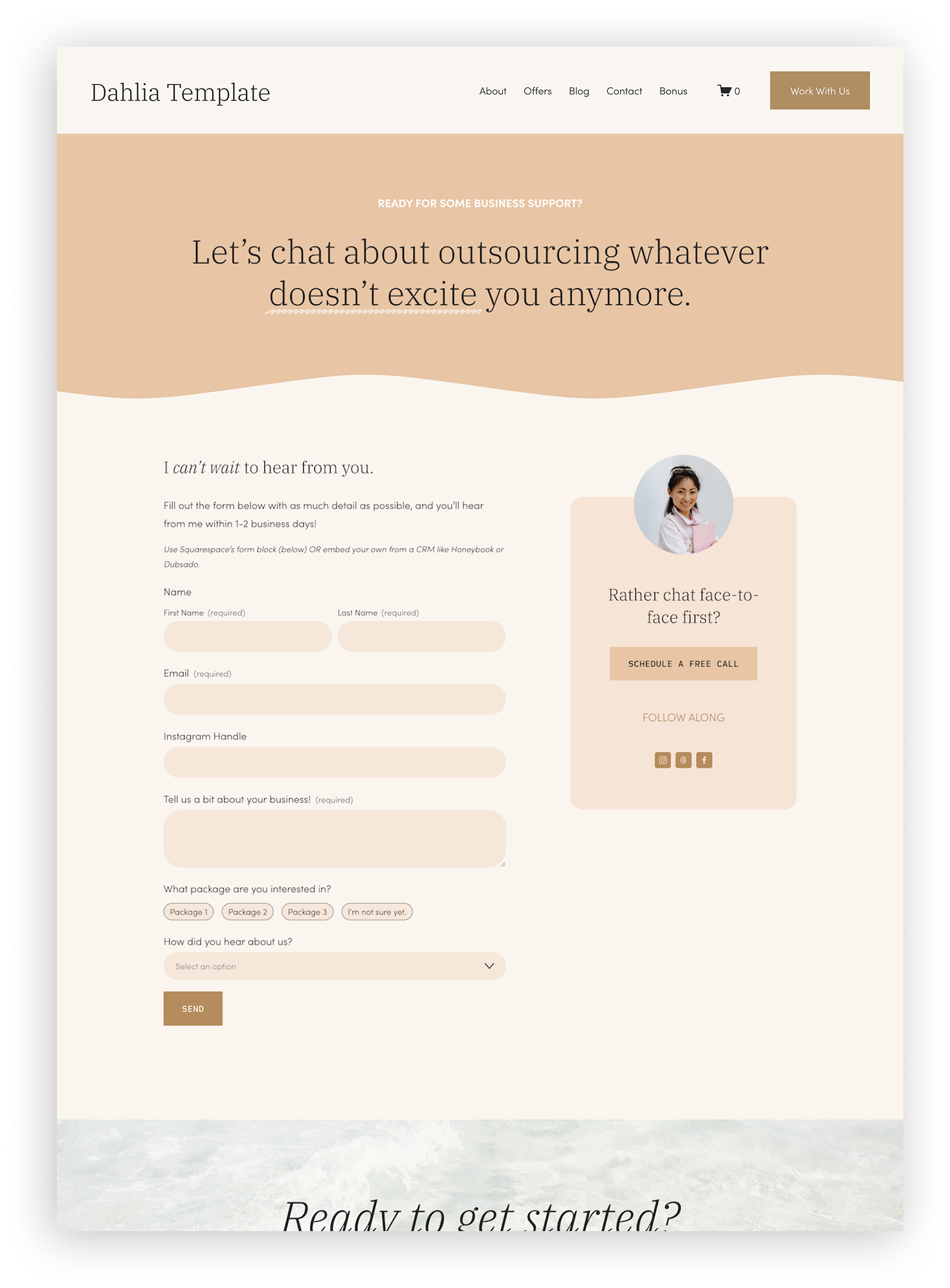
![A screenshot of a website titled 'Dahlia Template' with a clean, modern design using beige, white, and light brown colors. The homepage features a header with navigation links, a call-to-action button labeled 'Work With Us', and a shopping cart icon. The main section includes a large heading inviting visitors to chat about outsourcing, a form for contacting, and a rounded photograph of a smiling woman holding a tablet, with a prompt to schedule a free call. Below are form fields for name, email, Instagram handle, and additional questions, along with package options and a dropdown menu for how visitors heard about the site. The footer section is partially visible. The overall design is elegant and welcoming.]()
Contact
to simplify how to reach out and book you -
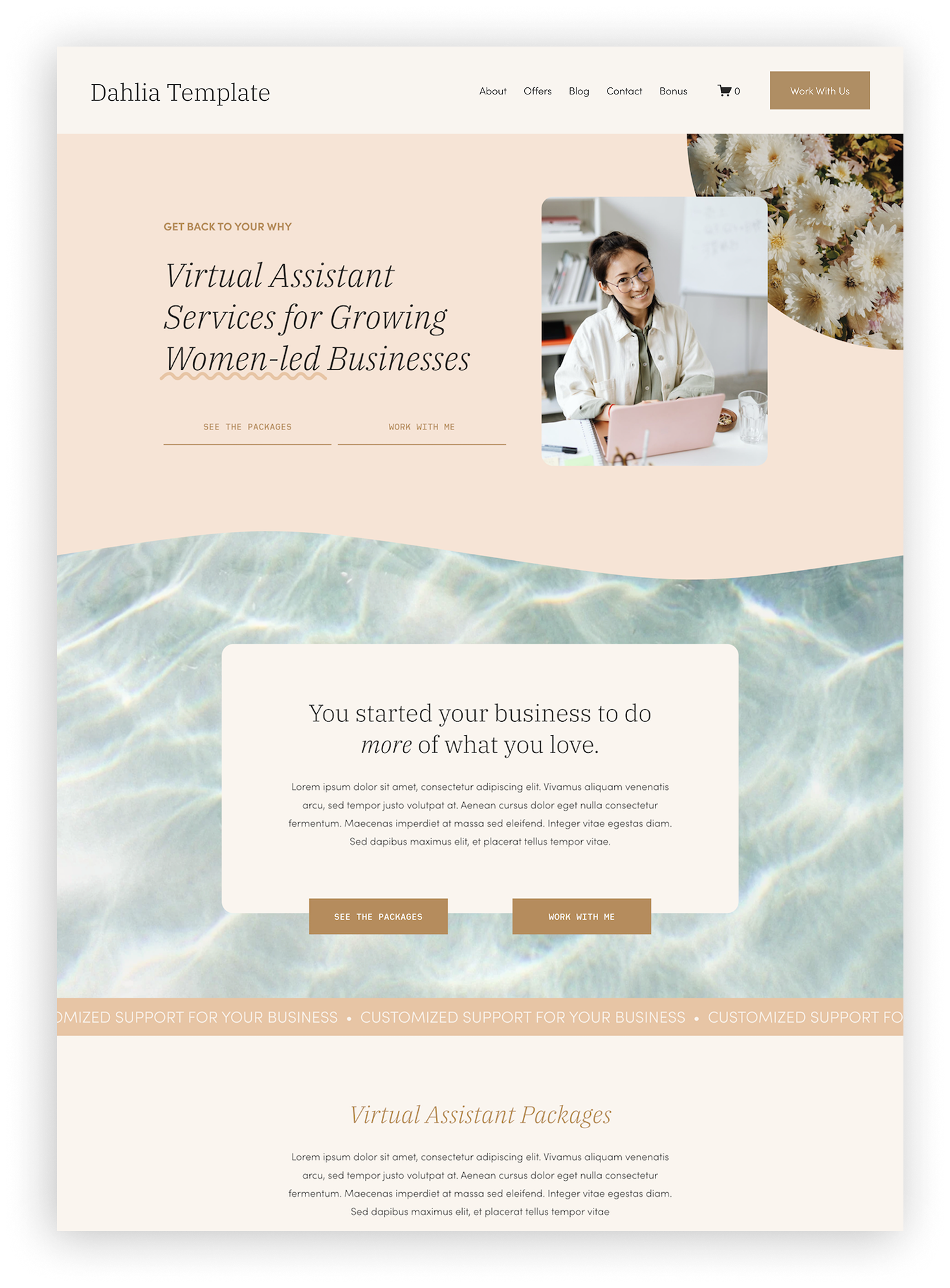
![Screenshot of a website homepage for 'Dahlia Template,' offering virtual assistant services for women-led businesses, with sections about packages and working with the service provider.]()
1-page Website
to give you a quick launch if you don’t have time for a full website customization right now -
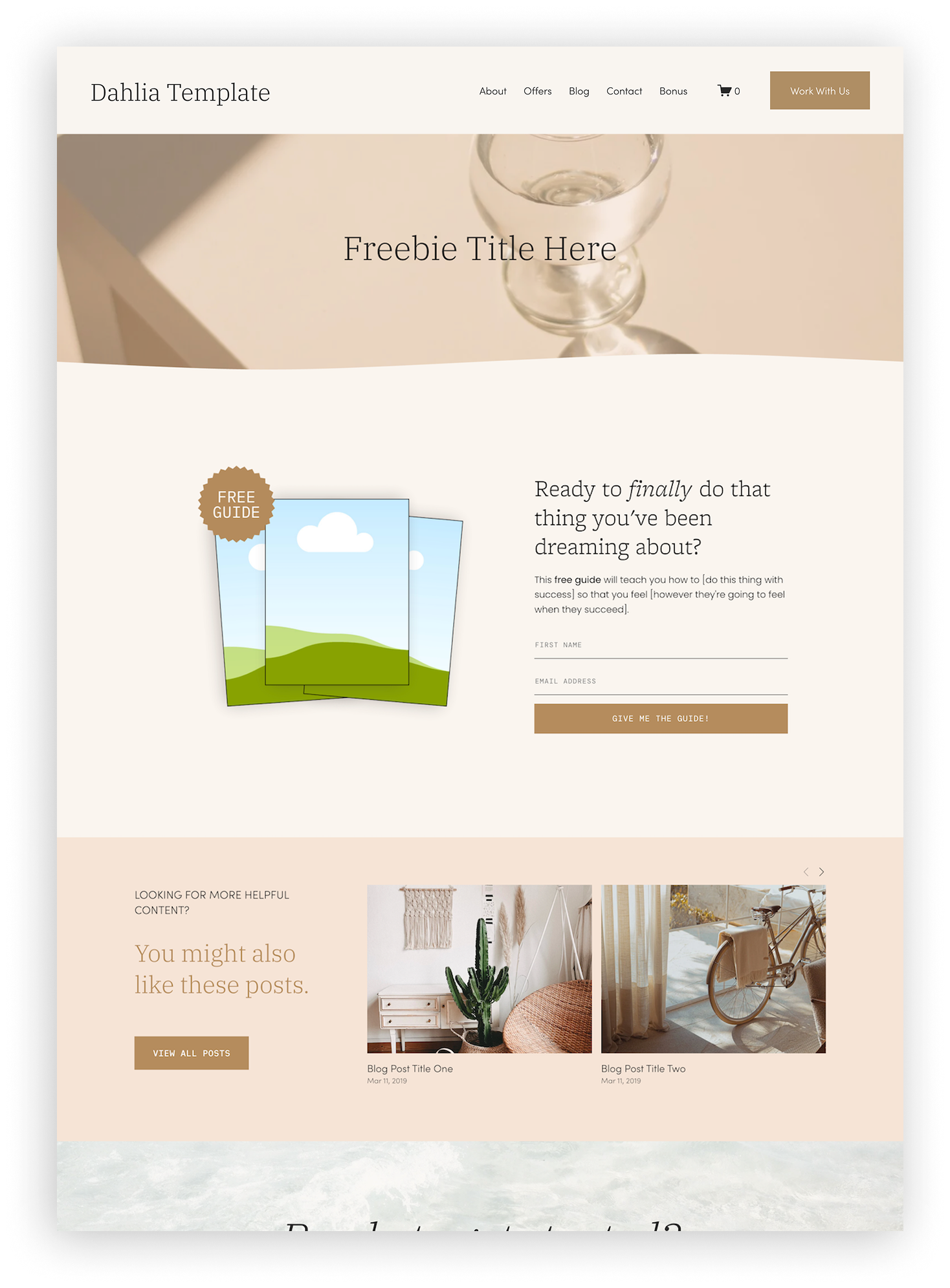
![Screenshot of a blog or website homepage with a neutral and minimalist aesthetic. The header includes the site name 'Dahlia Template' and navigation menu options such as About, Offers, Blog, Contact, Bonus, a shopping cart icon with zero items, and a 'Work With Us' button. There is a large featured section with a placeholder text 'Freebie Title Here' and an image of a glass object. Below, there is a section offering a free guide with a colorful illustration of clouds and hills, and a form for visitors to input their first name and email address to receive the guide. Further down, a blog section showcases two posts with images and titles, with a button inviting viewers to see all posts.]()
Freebie Opt-in
to start building your email list -
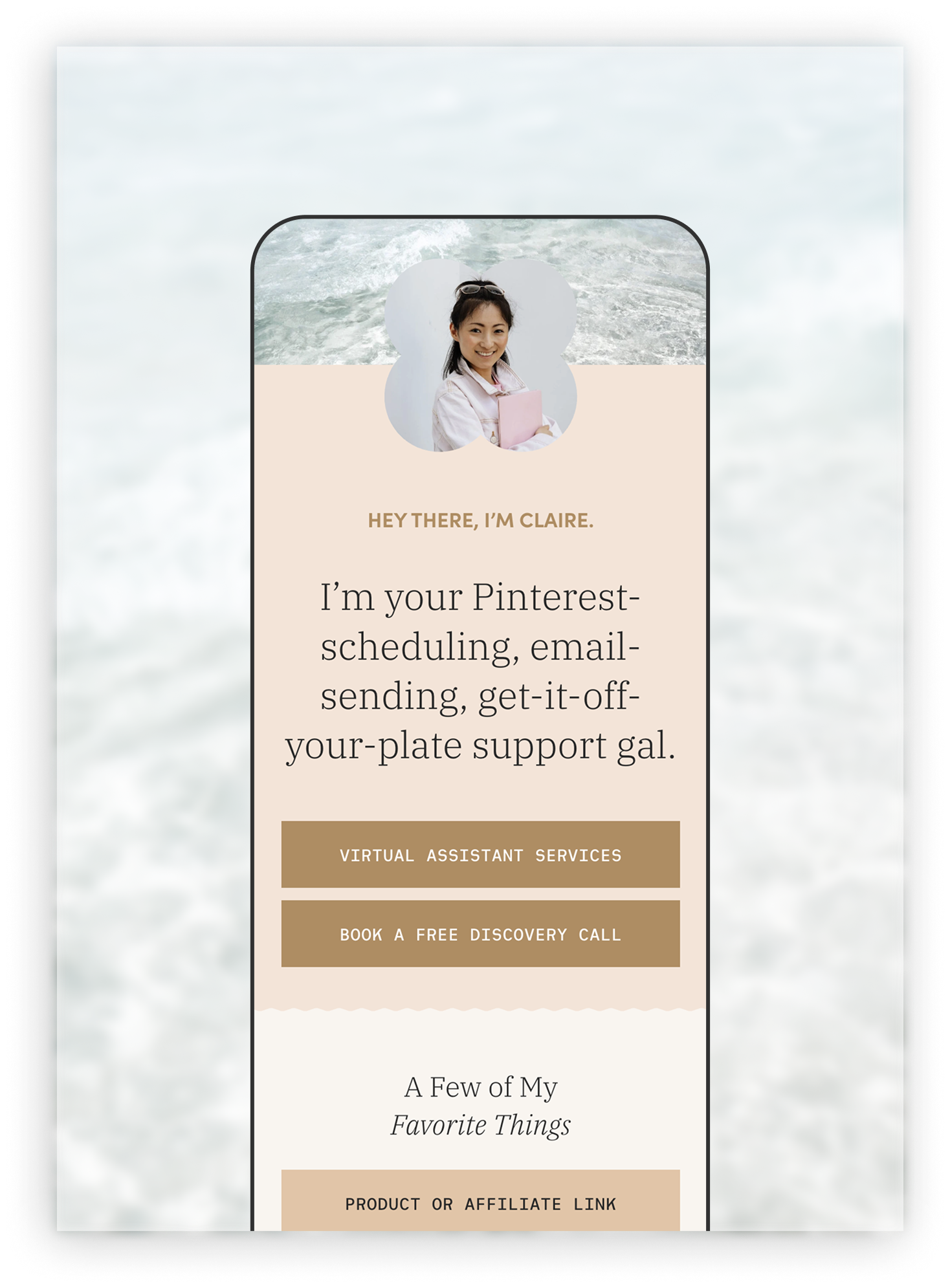
![A mockup of a mobile website or app featuring a profile picture of a smiling woman holding a pink folder, set against a beach background, with text introducing services including virtual assistant services and options to book a free discovery call.]()
Link in Bio
to make a great first impression when clients find you on Instagram, Threads, and more
Ready to launch without losing it?
01. Choose Your Aesthetic
All templates are built with the exact same StoryBrand-inspired layout, so all you have to do is pick the style that best matches your brand. We shop by vibes here. 😎
02. Check Your Inbox
After purchase, check your inbox for instant access to your new website along with a guide that has step-by-step tutorials for customizing your site.
03. Add in your style and content
Change colors and fonts, swap out photos, and use the copy prompts to write your website content. Each template is completely customizable without code!
04. Make it live + start booking clients
Follow the Launch Checklist to make sure your website’s 100% ready to be seen by your dream clients… and then celebrate, of course!
★ ★ ★ ★ ★
“Today my husband had a 1:1 call with the CMO of his company, and he told her about my business, which led to her looking at my website during their call. She was really impressed with my website and surprised to learn it was DIY’d. And that is definitely thanks to you and your template!!”
– Sarah, Virtual Assistant
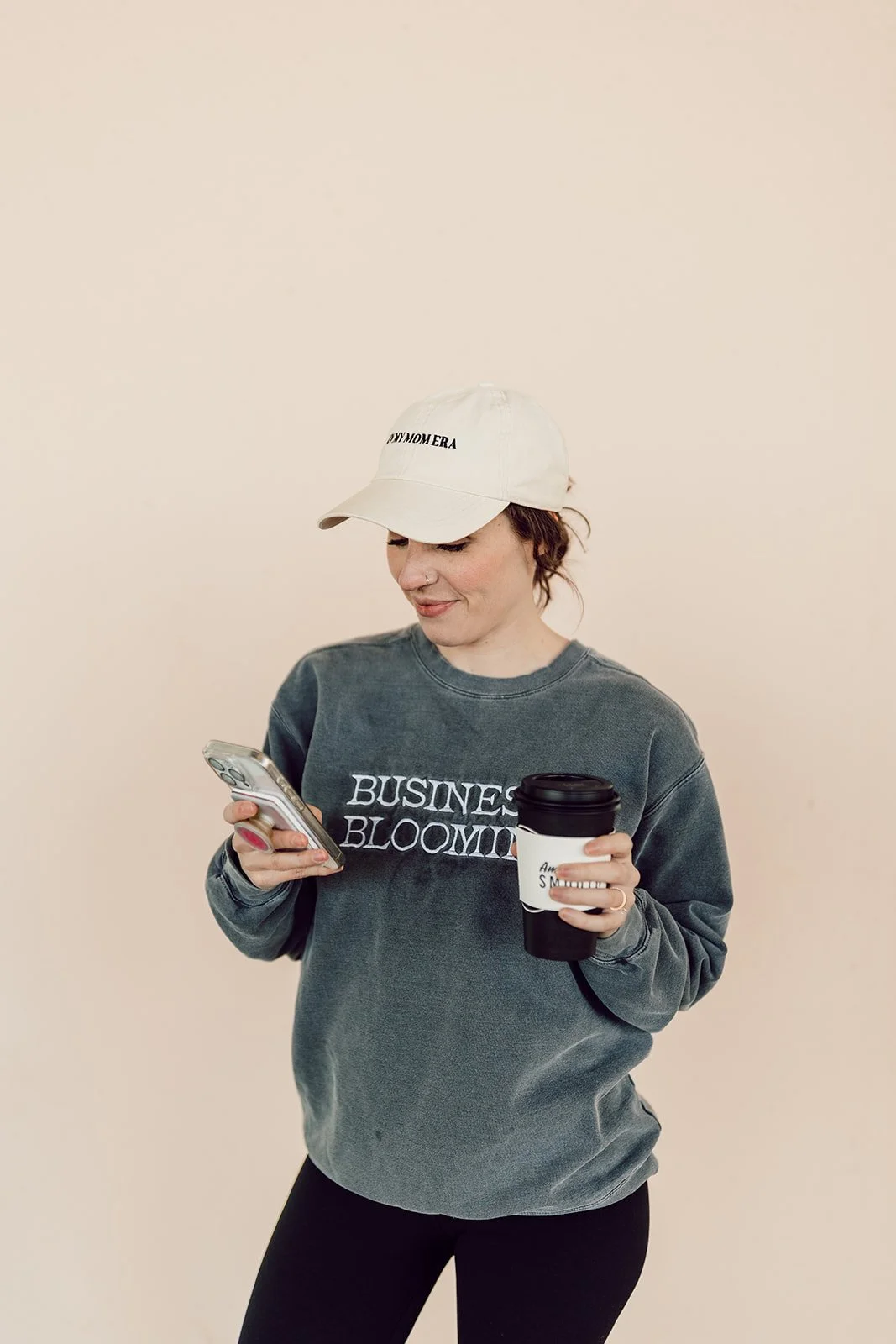
hey there, i’m claire!
And I’m obsessed with helping busy virtual assistants check “launch website” off their to-do lists in record time.
When I started my web design business back in 2019, my husband and I were DINKs (Dual Income No Kids, lol) and I had hours to plunk around with my first website. Fast forward to today, and you'll find me chasing around my 2 yo, panic-deciding dinner at 5:59pm, and wondering where my energy went – all while serving 30+ clients a year. I know that if I had to launch a brand new website today, things would look a lot different. So trust me when I say: I built this shop for exactly the season you're in.
Frequently Asked Questions
-
I strongly believe that Squarespace has the perfect balance of being user-friendly while also being beautiful. Their extensive help guides and support make it easy for anyone learn.
-
I love Squarespace because of its user-friendliness. When you purchase a template you get access to the Website Launch Guide, which will teach you to use the platform, as well as everything else you need to know to edit and launch your site!
-
Right after purchase, check your email for a link to access your brand new website! As well as a link to access the Launch Guide with tutorials, tips, and checklists to help you launch. You can then follow the short videos that walk you through setting up and styling your new website.
-
You will have to upgrade your Squarespace website from a trial to a paid website. (See pricing here + you’ll receive my Circle Member discount your first year!)
You’ll also need a domain name. (You can get your domain free for one year with an annual Squarespace subscription)
-
Honestly, my templates are really created for any service provider selling services or packages! You’ll find that the copy prompts in the template are more focused on VAs, but other than that, this template layout is perfect for any service provider!
-
If Squarespace has it, you can add it! When you purchase this template the demo pages listed above are built for you, but that's just the beginning. It’s easy to add on as many pages or features as your brand needs, and that includes any of the following of Squarespace’s built-in features: blog, shop, portfolio, extra pages, email marketing, scheduler, courses, custom code, galleries, videos, and more.
-
Absolutely! All fonts, colors, photos, and text on the template can be changed. We recommend starting with the template that most closely matches your brand’s aesthetic (to make customizing that much easier), but you can absolutely change anything you want. There are also a few short tutorial videos in the Launch Guide to show you how to change your fonts and colors.
-
Yes, every template has already been mobile optimized for you! As you customize and add things, you’ll need to make sure the mobile version still looks great, but Squarespace’s simple mobile editor makes this easy.
-
Yes! You can either transfer it to Squarespace, or you can leave it registered and hosted with its provider and connect it to your Squarespace site. Information on this is also found in the Launch Guide that comes with your purchase.
-
Due to the immediate delivery of this digital product and accompanying resources, THERE ARE NO REFUNDS. Please reach out if you have any questions or problems with your order.

Your dream clients are out there Googling for someone exactly like you.
What are you waiting for?
Looking for a different aesthetic?
Check out these squarespace templates!
(Hint: They’re all actually the “same” template - aka my signature layout - just styled in different aesthetics to get you one step closer to a fast launch and to keep you from wondering “am I picking the right template??”)
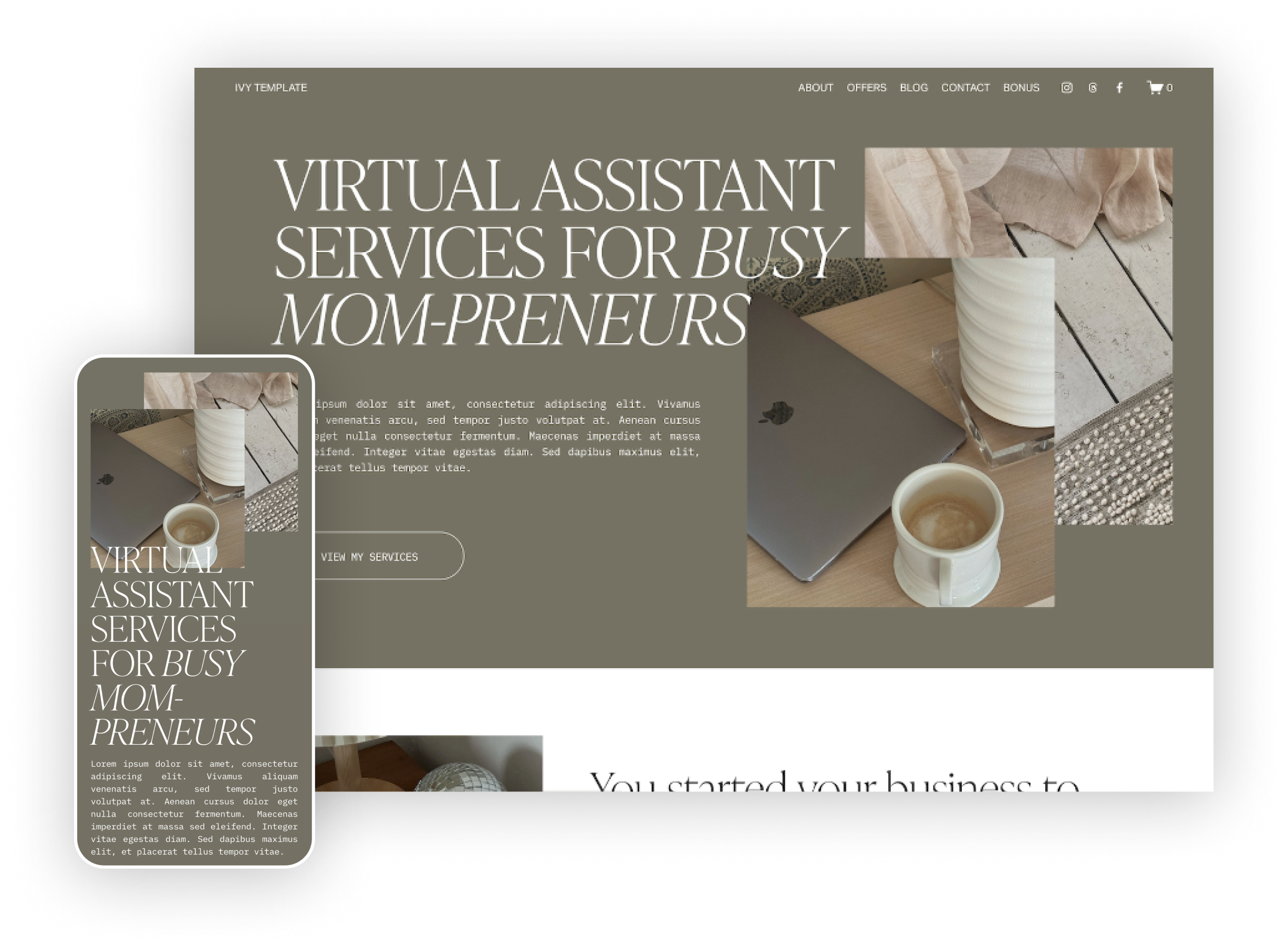
SHOP IVY →
moody • maximal • authentic
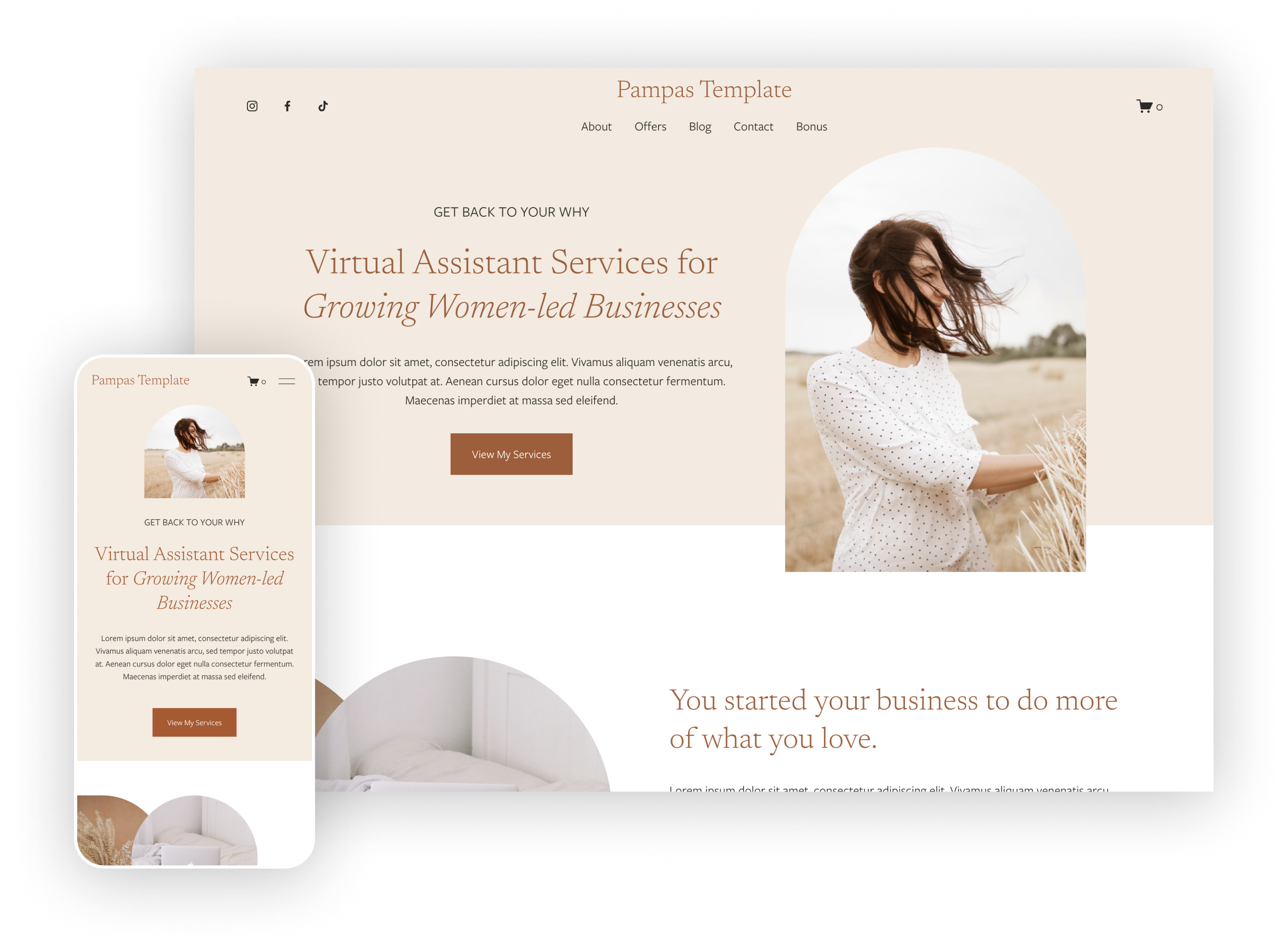
SHOP PAMPAS →
neutral • modern • simple