
Note: This post was made in collaboration with Flodesk. Some of the links on this page are affiliate, which means if you click, I may get a small commission at no cost to you. But trust me when I say, I wouldn’t promote Flodesk if I didn’t truly love it, believe in it, and use it every day to run my business. :)
When I started my business a few years ago, freebies were allllll the rage. Everyone was talking about the importance of building your email list with a freebie, delivering valuable content that would educate your audience, and ways you could use it to promote a paid offer.
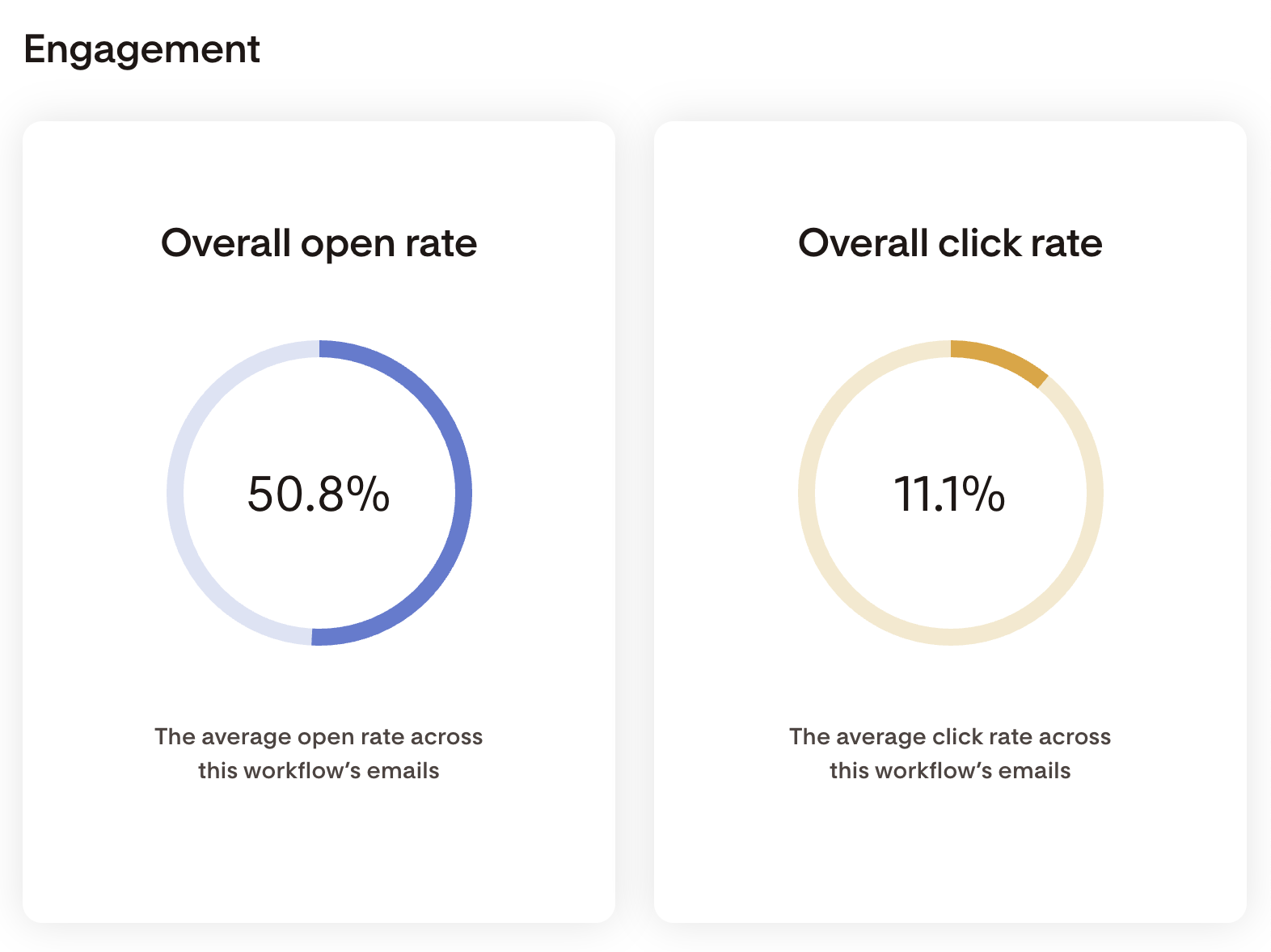
Well I’m here to tell you… the hype is real. And I’m going to walk you through the exact workflow that’s delivered my freebie to over 3,000 people with a 50% open rate, and show you how you can easily and quickly build one just like it.
The First Step: Creating Your Freebie
Before we even get to the email funnels and delivery and all that techy goodness… you have to make the freebie first! And you want it to be super valuable. Today our socials and inboxes and feeds are so oversaturated. So we want to create something that stands out and is a no-brainer for your ideal client to snag!
When creating your freebie, it’s important to keep a few things in mind, like:
who your audience is
where they’re at in their business journey
what problem you can solve for them
how it relates to your offer(s)
For me and my business a few years ago, that was:
female business owners, age 22 - 35
brand new in their business journey
their main problem is that they need a website for their new business
my DIY website templates are the perfect solution!
And with all of that in mind, my 14-page DIY Website Guide was born.
My Freebie: The DIY Website Guide
There are all types of lead magnets (aka, a freebie) like quizzes, PDFs, checklists, Notion dashboards, and more! But I created a PDF packed with helpful info my audience could use when building a website. Here’s a little overview of what was inside and what you can include in your freebie:
An intro to me - chances are they don’t know me yet, they may have just stumbled onto my site from Pinterest!
A table of contents - to give an overview of what they can expect and help them jump to what they need most
The actual tips - think a branding questionnaire (that I actually use with real clients), a guide to choosing colors and fonts, copywriting tips, and more!
A final page that shows off my website templates as a solution if they still need help and lets them know a special discount code is heading to their inbox soon!
Flodesk Tip: I love how easy Flodesk* makes it to deliver a PDF or other kind of file to your audience! All you have to do is highlight your text and click Attachment, then upload it from your computer. You can also upload a file to a button or an image too! More visuals of this below…
The Funnel Strategy
Now let’s talk about the actual funnel people walk through from start to finish.
Think of your funnel like an actual funnel you might have in your kitchen drawer! Wide at the top and narrower as it goes down. You want to promote your freebie in as many places as possible to cast that wide net out there.
I have my freebie located in multiple locations across my website and socials:
Embedded in my footer
Embedded on my homepage
Linked in the sidebar of my blog
Embedded at the bottom of relevant blog posts
As a pop-up on my website
Linked in my Instagram bio
Promoted in lots of Pins over on Pinterest
(Pssst - if you want to know which of these opt-in locations places does best, check out my Instagram post here!)
And if you’re more of a visual gal like me, here’s a few screenshots of my freebie forms in a few of the places I mentioned above.
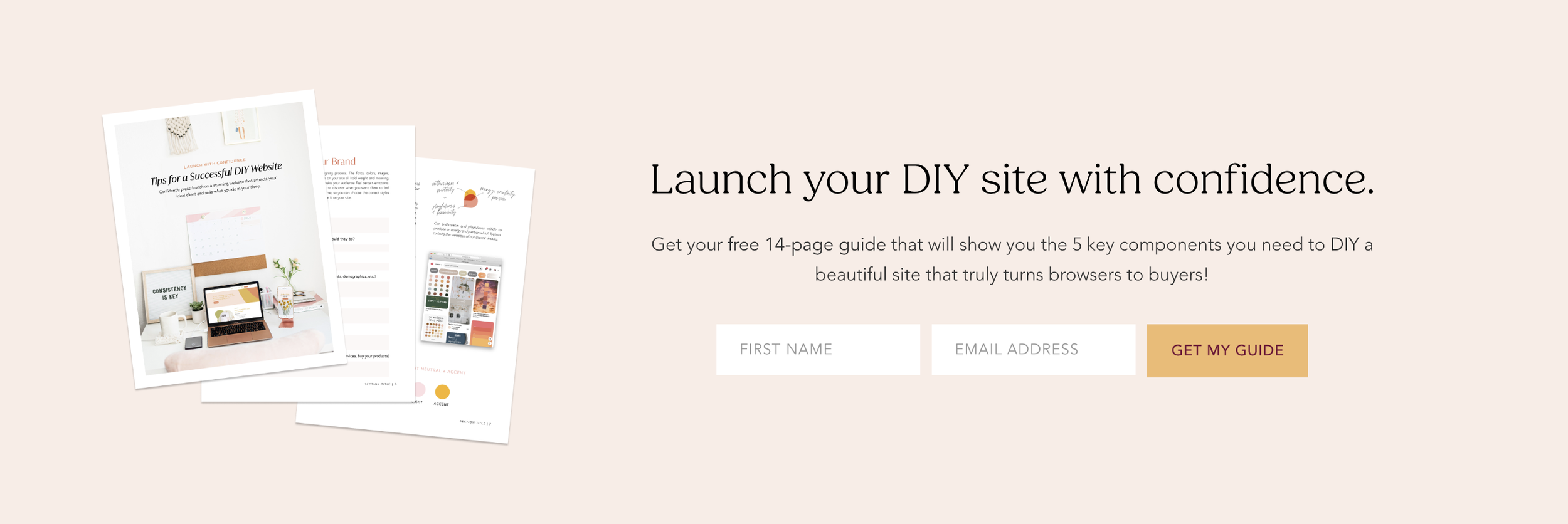
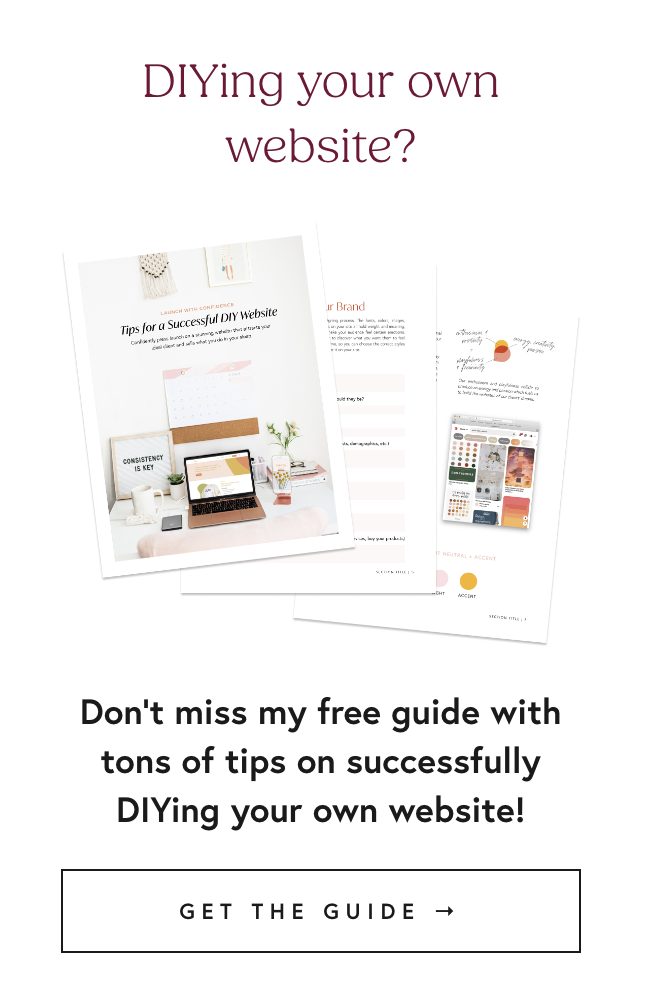
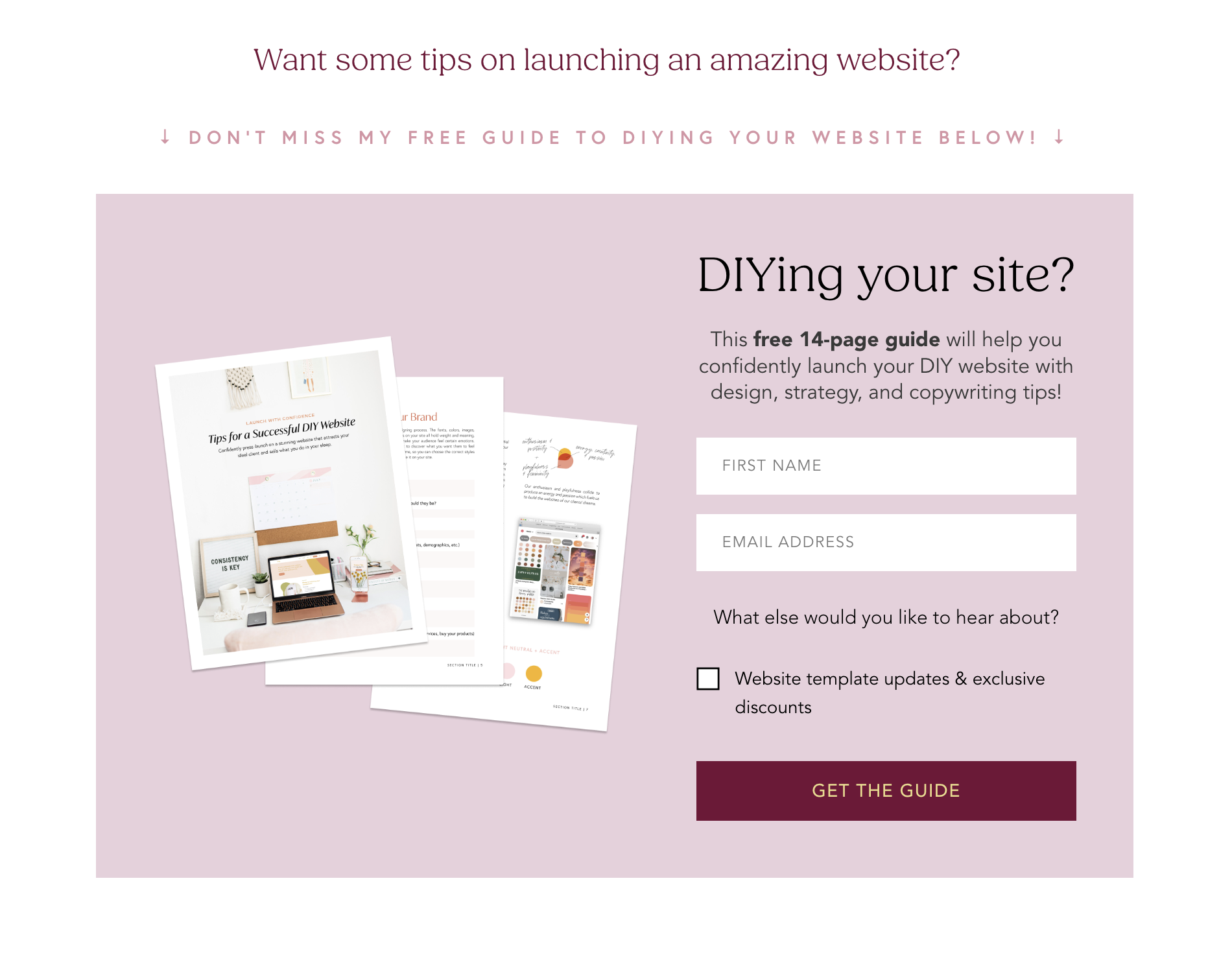
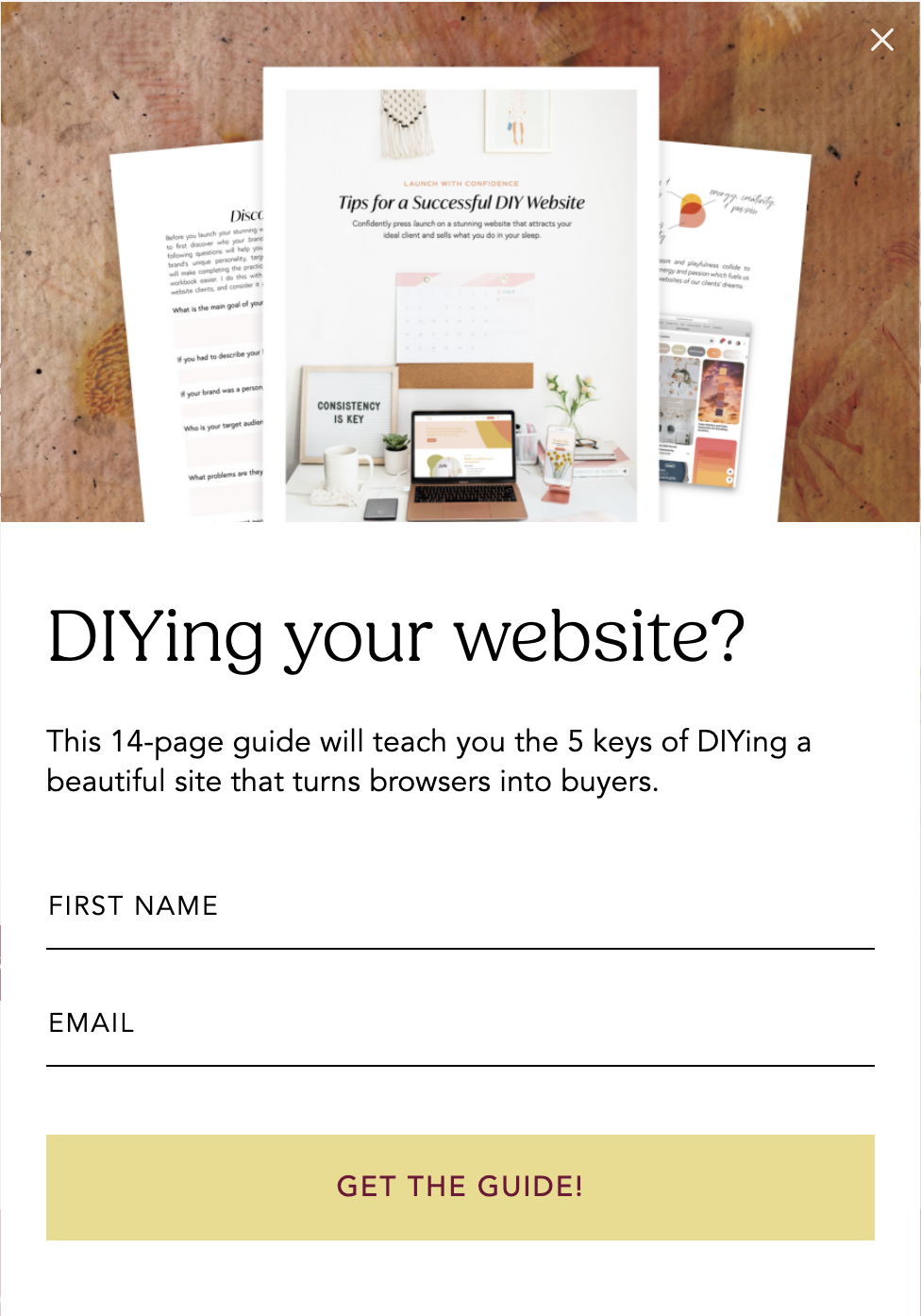
Flodesk Tip: As a web designer, making sure my forms are on-brand and can seamlessly integrate with my website is super important - which is yet another reason I love Flodesk*! It’s super easy to upload your custom fonts to use within Flodesk (which I did), along with uploading your color palette for easy styling. So even though these forms were created inside Flodesk, they match my site perfectly!
A Breakdown of The Email Sequence
So here’s the nitty gritty of my email sequence, including the number of emails, the content, the timing, and more.
Email 1
Delivered: immediately after signing up for the freebie
Purpose: deliver the freebie, introduce a time-sensitive coupon to use in my template shopEmail 2
Delivered: the next day
Purpose: discussing the importance of a website, and how both the freebie and a website template can helpEmail 3
Delivered: the next day
Purpose: sharing 3 website mistakes to avoid, and how my templates can easily help you avoid themEmail 4
Delivered: the next day
Purpose: overcoming specific doubts about website templates and sharing testimonials from past template usersEmail 5
Delivered: the next day
Purpose: helping them envision what their business could look like in a month if they go the DIY template route + a 24 hour coupon expiration warningEmail 6
Delivered: the next day
Purpose: final call for their exclusive discount code with a walkthrough of how my templates work
I show up every single day in their inbox for nearly a week! So I want to make sure I’m adding value to their business and making it feel like a personal connection. Flodesk let’s you do that with name customization (you can insert your recipients name right into the email!), Instagram integration (I love to connect my feed at the bottom of the emails to let them know I’m a real person then can find online), and through images and graphics I’ve created.
Flodesk Tip: With Flodesk’s* workflows feature, you can build out sequences with as many emails as you’d like, waiting however long you’d like in between emails, and even do complex filtering with segments, branching, and more. You can even share your workflow with others - which is what I’ve done in my Flodesk Freebie Toolkit! If you’re looking for a quick way to finally get your freebie out there, my toolkit comes with form templates, a workflow template with pre-designed emails, and some Canva graphics to match.
What I’ve Updated Over the Years
One thing that’s great about Flodesk workflows is that you can edit them at any time! This has been super helpful for me over the years as my business has grown, as I’ve created new offers, and as things like even my branding have changed. Here’s a few things I’ve easily been able to quickly tweak:
I’ve gotten more testimonials along the way, so it’s always nice to go in and swap those out or even just add more social proof!
I ended up launching an up-sell to my templates: a template customization service, where I input your branding, photos, and fonts for you. I was able to add this info to a few of the emails later on to promote that offer as well, since the ICA (ideal client avatar) is the same for that offer.
When Flodesk* released a countdown widget, I added one to my last email to add a little urgency to the expiring coupon. (They’re always listening to their users and adding cool new features! Yet another reason I love Flodesk.)
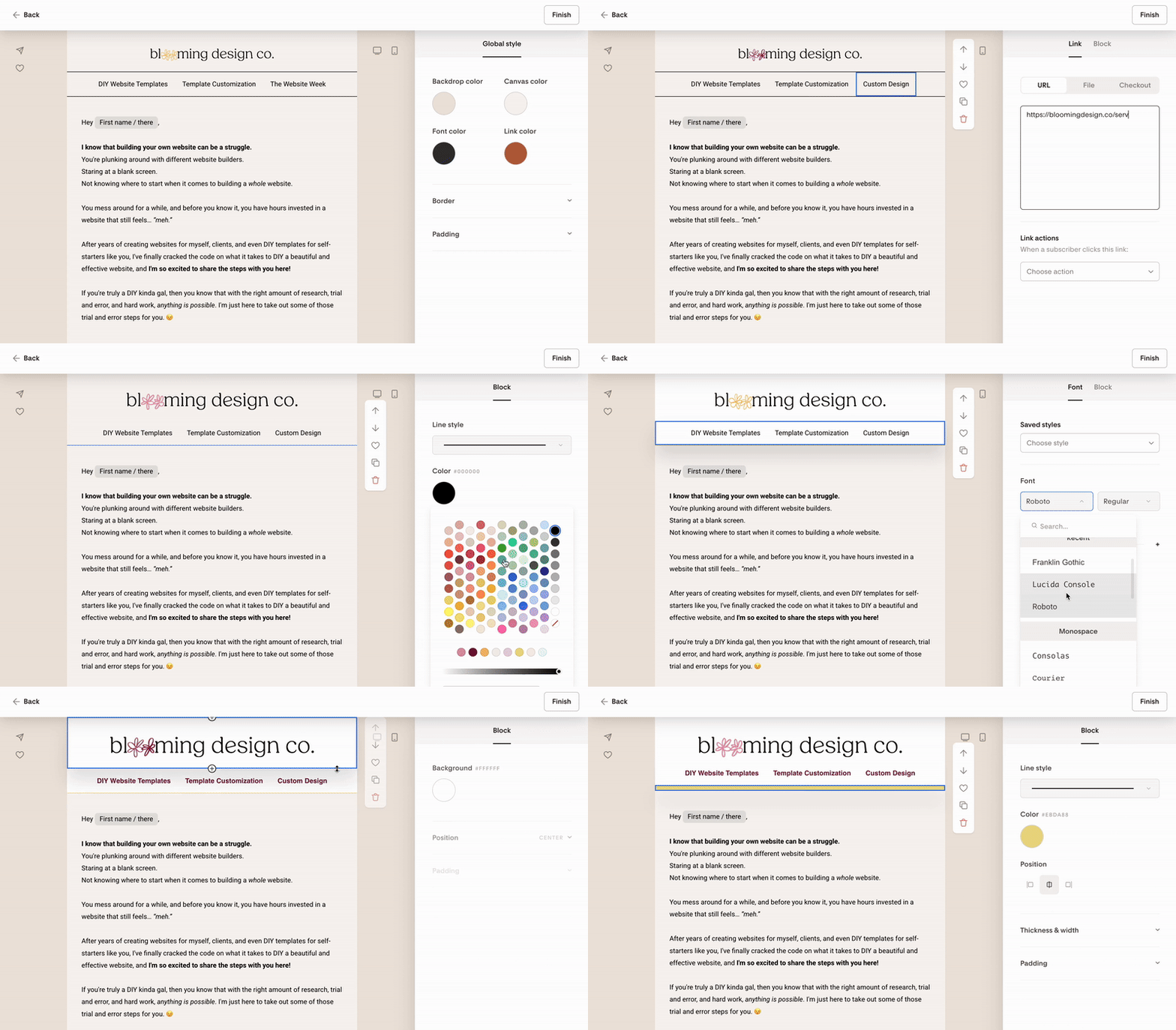
My visual branding has changed since I created the workflow, so updating the emails to match my other aesthetics was important to me. See how quickly I was able to update the emails in the workflow here:
How You Can (Easily!) Create a Freebie Workflow Too
Now you’ve seen my whole backend process for creating a freebie and a workflow that can upsell to one of your offers, so I hope you feel inspired!
If you’re feeling a little overwhelmed - maybe you’ve created a freebie, but the idea of setting up alllll the tech is stopping you from launch - my Flodesk Freebie Toolkit is the perfect solution to help you finally get it off your desk! (Yes we’re quoting T-Swift here.) And if you’re new to Flodesk*, you’ll also receive 25% off your first year when you sign up using my link or with code BLOOMING.
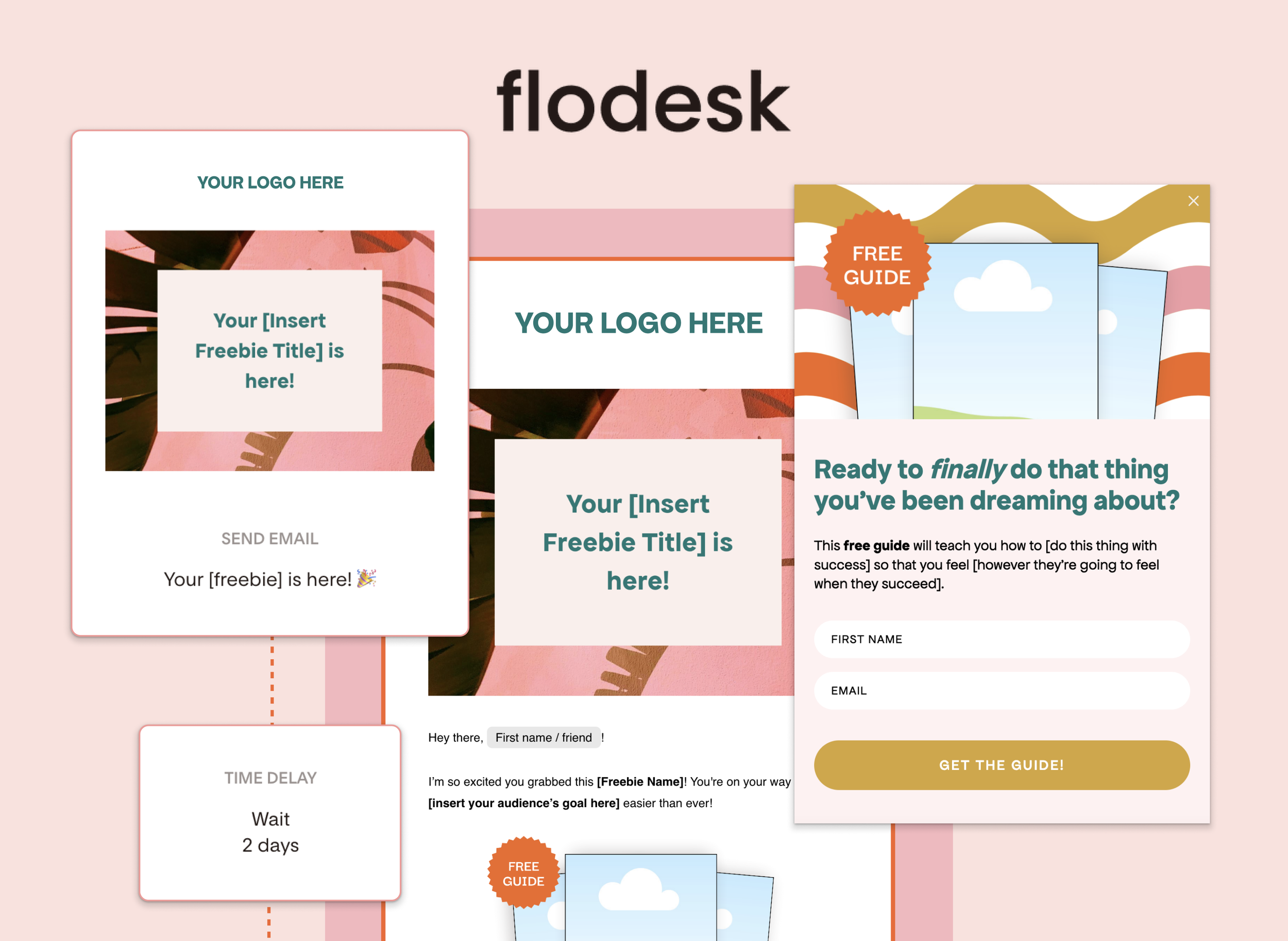
Everything you need to finally get your Freebie out of Canva
Inside the Flodesk Freebie Toolkit you’ll find:
3 email templates with prompts
Already setup in a workflow for you
3 form templates to help you collect emails
Canva graphics to help you show off your freebie
Instagram + Pinterest templates to promote it asap
Get It Off Your Desk Today with Flodesk*!
This workflow has helped my grow my email list by thousands, sell my passive website templates, and create a community of new business owners who want to stand out online. I’m so happy I’ve had Flodesk* to help me do this from the very beginning, and I can’t say enough good things about them as an email service provider. If you’re ready to get your freebie off your desk, like today? I recommend trying Flodesk for yourself and starting out with my Flodesk Freebie Toolkit.
And if you have any questions along the way, send me a dm over on Instagram. I’d love to connect!
