
SEO (Search Engine Optimization) can feel like a giant, unknown beast, especially if you don't really know what SEO is. Sure, you've heard the term thrown around a bunch online, probably panicked and wondered how you can "get good SEO" (is that a thing??), and then maybe gave up after a few Google searches filled with terms you didn't understand.
Well lucky for you, one of my pet peeves is when experts make SEO seem confusing, daunting, and not achievable for the average DIYer. So today I'm here to share a ton of tangible ways you can boost your ranking and achieve that coveted "good SEO" title every business owner's dreaming about.
But First, What is SEO and How Does It Actually Work?
Search engines like Google are constantly sending out tiny little bots to scour websites across the internet. These little bots read a website, decide what the content is about, give the website some kind of "usability" ranking, and file all this info away for future use.
Then, when you google "why does my toddler constantly ask for snacks", Google dives into its database to try to find you the most helpful answer based on the information it has previously indexed. The results you see on the search page are obviously websites with information, but the order in which they appear is called their ranking. So Search Engine Optimization is the process of making your website more findable and higher ranking in that search. When people say they want to "boost their ranking", it quite literally means they want to appear higher up on the page in a Google search when people are searching for subjects related to what they do/sell.
Hopefully that helps you get a big picture of what SEO is, but what can we actually do to make our website more searchable and appear higher? I'm going to break the tips down into a few sections below, and you can go bit by bit to improve your website.
Tech and Structure-related Tips for Good SEO
Use only 1 H1 tag per page.
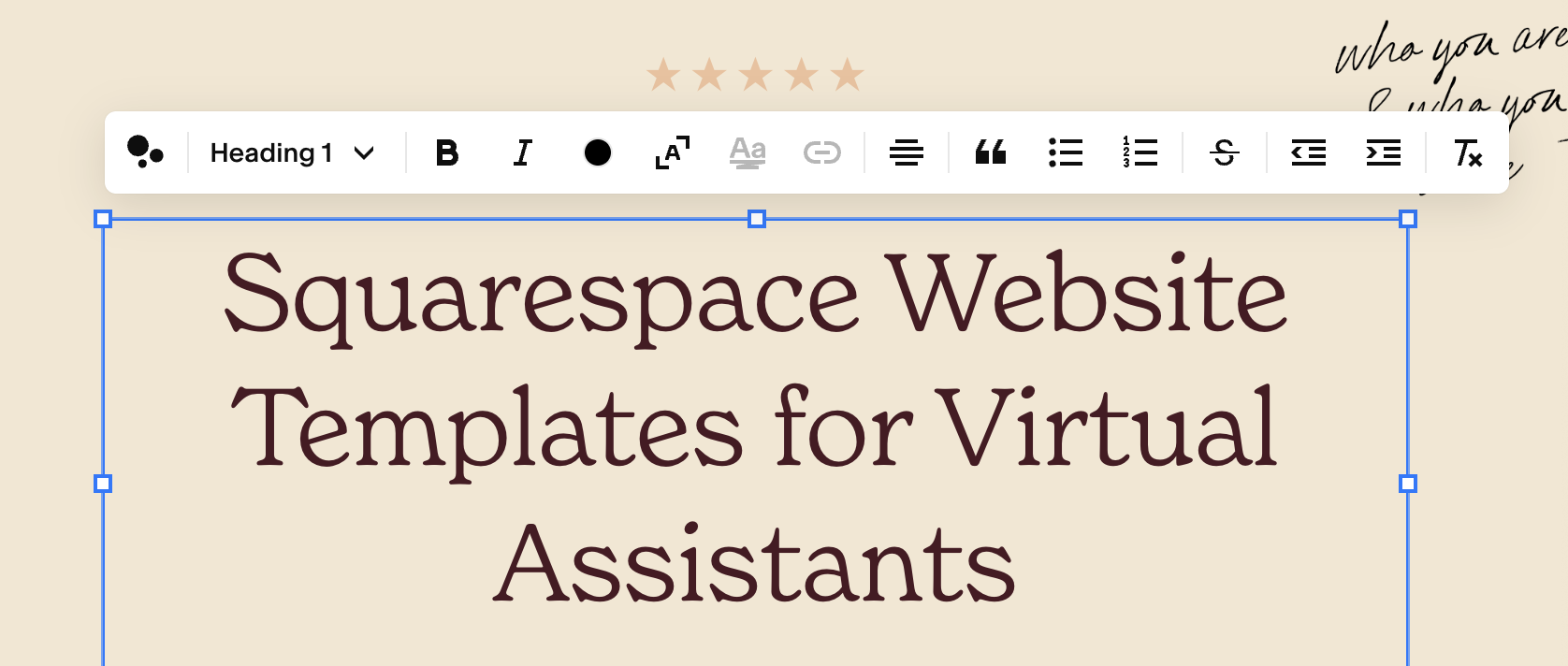
No matter what website builder you're using, when adding text to your webpage you'll probably see text options like Header 1, Header 2, Header 3, and so on. These headers are actually not just to help you vary the size of text all over your page, they're actually very important for SEO and the structure of your page.
When it comes to headings, the number one rule to follow is that you want ONE Heading 1 line of text per page, preferably near the top of the page, that describes what that particular page (or website) is about. You want one and only one on every single page of your website, and this is definitely where you want to add keywords. The example below is from my homepage:
Add alt text on your images.
Those little scouring bots I mentioned above can't actually see the images on your website like you do. Alt text is the information they read to identify what an image actually looks like or contains. Alt text is also what screen readers use to describe an image to those with visual impairments, so making sure your alt text is up-to-date is a win for SEO and accessibility. And when those bots recognize your website is setup with good accessibility practices, that's even better.
How to add alt text to your images
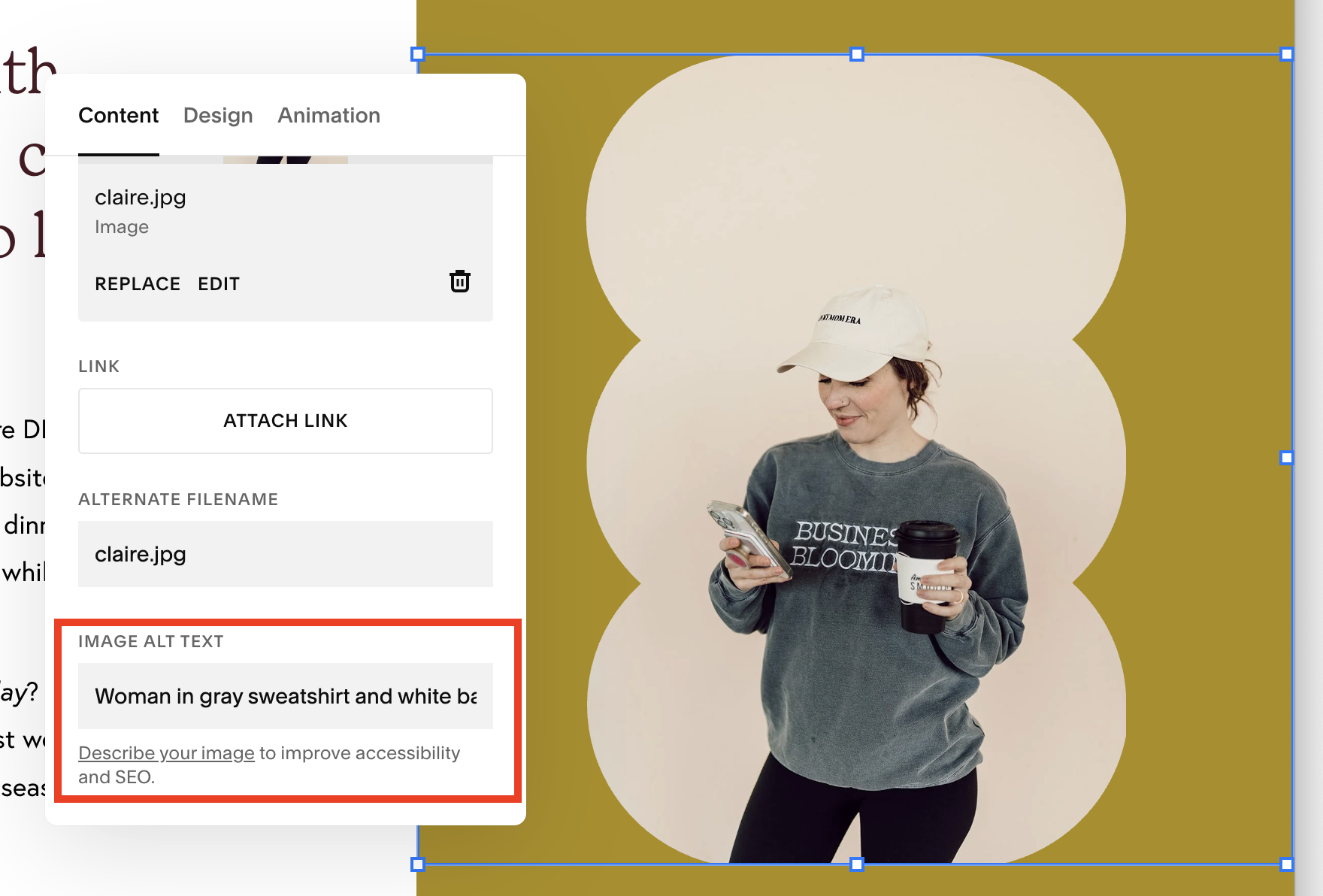
If you're using Squarespace, you can edit any image block and add in your alt text there. Squarespace also has an AI alt text generator that I like to use on websites, especially when there are a lot of images. It's usually accurate, but I recommend glancing through each one to make sure.
Alt text no-no's
What we don't want to do is "keyword stuff" our alt text to make it almost unreadable. We want the alt text to truly describe what the image looks like (subjects, actions, words, etc.) with some keywords thrown in IF applicable. If I wrote the alt text in the image above to say "Owner of The VA Website Shop which sells Squarespace templates for virtual assistants holding a coffee cup"... that's not super helpful for someone who can't see what the image is. Bots also pick up on this tactic and will dock you for it, so let's just avoid that.
Reduce image and file sizes.
The bigger an image is on your website, the longer the page takes to fully load; and this can tank your overall SEO score. Making sure to not upload enormous photos to your website is one simple thing you can do to increase your website's overall usability.
I like to use the Preview app on my Mac for simple photo resizing, a program like Adobe Photoshop or Affinity for bulk resizing (say, a whole folder of images from a brand shoot), OR there are lots of great free resources out there like tinypng where you can resize your photos for free.
If you want a number to stay under, I like to stay under 2MB per image - but you can definitely go smaller!
Add page descriptions.
One thing that's very helpful for those "little bots" is when each page on your website has a description. Go through all of your main pages and write a short description using keywords for what the page is about and what someone would get from visiting it.
Squarespace also has a helpful AI tool that will generate all of your page descriptions at once - but again, be sure to comb through each one to ensure accuracy.
Hide pages you don't want to be indexed.
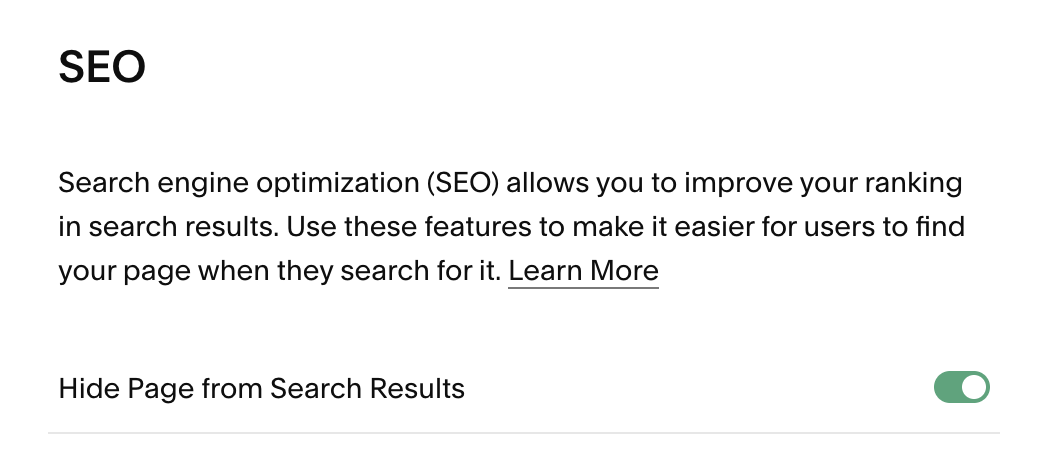
On the flip side of the previous tip, if you have any extra pages on your website that you wouldn't want someone (or something, like a bot) to find, you should opt to hide this page from search results. Examples of pages like this could be pages where you're privately testing something out, still working on finishing the content, etc. Overall this helps clean up your website from an indexing perspective, showing those bots only the pages you want them to find, which can make for a cleaner sitemap.
In Squarespace you can easily hide a page from search results by going to the SEO settings of the page's main settings:
Interlink between pages.
Interlinking is essentially creating links on your website that link to other pages on your website.
For example: at the bottom of your about page you link to your services page with a "ready to get started?" type of call to action. Then maybe on your services page, you have a section introducing yourself with a button for people to "get to know you more" that links back to your about page.
In general, we want our pages to be interconnected like this as it gives those bots a better mapping of your website and helps with overall page ranking.
Content-related Tips for Good SEO
Use specific and strong keywords in your headlines.
The headlines on your website are not just for visitors, they're also to help those bots know what your website is about.
The number 1 mistake I see on so many websites is: a headline hear the top of your home page that says something like, "hi, welcome to my website!" You've essentially just wasted an important headline not giving any information on what your website is about or telling people how they'll benefit from whatever it is you do - and that's what they really want to know. (And also, people don't need to be "welcomed" to your website. Big no-no.)
Those bots use the headlines on your website to determine what your content is about and whether or not it's helpful for what people are searching for, so this is prime real estate to add in keywords.
So instead of having a headline that just says: Services
Try rewriting it to say: Virtual Assistant Services for Brand and Website Designers
In general, make things easy to find on your website.
This very much goes in line with the previous tip, but people only give your website a few seconds of their time before they decide to leave. If you're not clear on what you do and how they can get it, people will leave. When people immediately leave your website after landing on it, this is called a bounce. Having a high bounce rate can also hurt your SEO, because you've effectively just told Google "people usually leave right when they land on this page, nothing helpful here!"
So if you've promised some kind of freebie or blog post or digital product, but sure to make it clear how people can get whatever that is, so that they stay on your website and find that value.
Long story short: The longer someone stays on your website and continues to click, the better!
Write specific and helpful blog posts geared towards what your ideal clients are searching for.
One GREAT way to show up in Google search results is by blogging. It may seem like blogging is having a renaissance right now, but the truth is that it never really left. By creating helpful (and specific!) content that your ideal clients are searching for, you'll increase your authority with Google for the same reasons I mentioned above: helpful content = people staying on your site for longer = better ranking.
To get you started, one easy exercise is to open a Google search and start typing. You could start with something like "why do virtual assistants..." or "how can a virtual assistant..." The generated questions you see in the box below are something that people are already searching for - which is great content to blog about!
Take this blog post as an example. I sell website templates for virtual assistants. So helpful content that my audience is probably searching for could be SEO tips for their website. That's why I named this post Basic SEO Tips for Your Virtual Assistant Website. Is this post helpful information for more than just VAs? Of course! But that's my primary audience and I wanted to get very specific with my keywords in the title.
And then at the bottom of this post, you'll see a "you might also like..." section linking related blog posts. The goal here is that people get to the end of this blog post, think it was super helpful, and go read another one of my posts that they might also find helpful. Remember all that interlinking and keeping-people-on-your-website stuff? 😉
If you found this post helpful, be sure to subscribe to my email list below for bi-weekly tips to make your Virtual Assistant website a place where you can get found and booked!
