
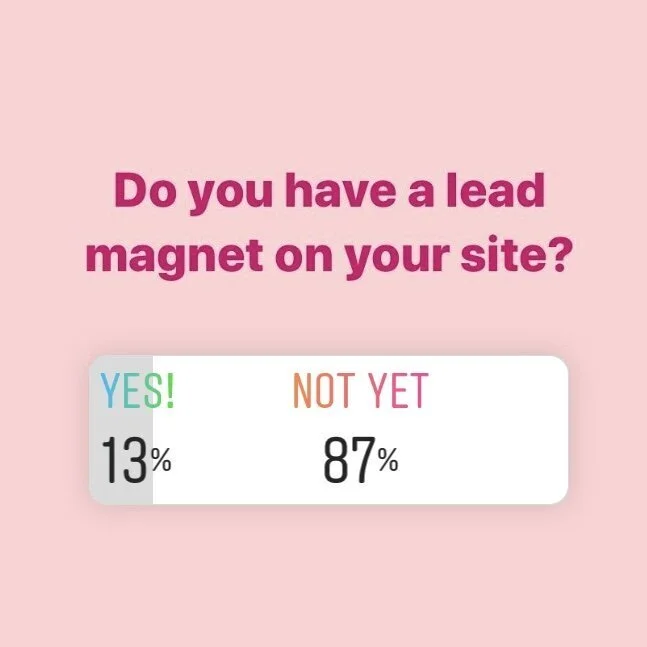
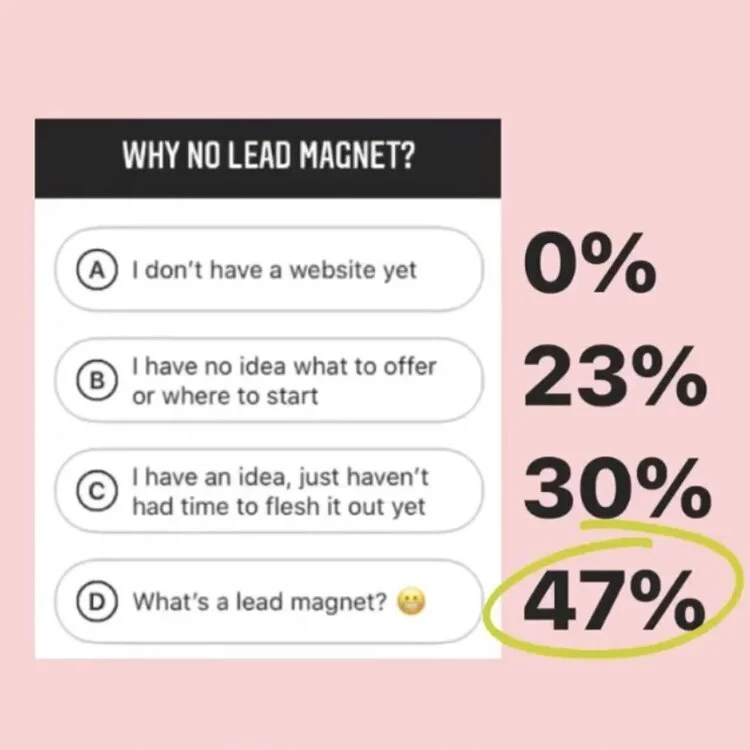
Last week, we took a poll over on the ‘Gram and were shocked at the results. So many people either didn’t know what a lead magnet was or didn’t know where to start in creating one. 🤯
We need to change that ASAP, because a lead magnet will seriously grow your email list and attract potential clients to your site.
What is a lead magnet?
A lead magnet is an offer related to your services/products that you can promote to potential clients in exchange for their email address.
Has this ever happened to you?
After a few seconds of scrolling your favorite website, a pop-up window appears. It lets you know about a free offer or complimentary PDF guide or free video training you could access by dropping your email address. Sometimes they can be pretty annoying and feel bombarding.
What you just witnessed was a lead magnet in action!
What makes a strong lead magnet?
We know when we feel bombarded or like we’re being sold to… So how do we avoid that when creating a lead magnet?
Here’s 4 characteristics of a strong lead magnet:
1 - High Value
Don’t just say, “get on my email list!” People who don’t know you won’t see the value in that right away.
2 - Instant Gratification
People who find your website are looking for a solution to their problems immediately. Make it something they can receive with the click of a button.
3 - Shows Off Your Expertise
When people use your lead magnet, it should further convince them that they should be buying from you instead of your competitors.
4 - A Problem-Solver
Start solving your ideal client’s problems before they ever click “book”! They’ll remember you when they’re finally ready to hire someone to help solve their major problem.
Here are some real-life examples of lead magnets on some of our past clients’ sites! Click images to enlarge:
High Value
Blooming Design Co.
That’s us! We know what our website visitors want, so our lead magnet speaks to those desires right away by stating its value.
Fast
The Laurie Loo
Laurie offers a guide to cleaning out your closet in just 1 day! You get the guide right away, and you’ll be able to solve the problem of your messy closet ASAP too.
Your Expertise
Hustle Sanely®
Jess offers a free digital notebook to help you decide if digital planning is right for you. This is just one of her areas of expertise and a great way to showcase it.
Problem-Solving
Wholly Made
Right away, Jennie lets us know what problem her ebook is going to solve. It’s a great one too, because living a healthy life can definitely be overwhelming.
How to choose what content to offer
Now we have the characteristics of a strong lead magnet, but how do you personally decide what’s best for your business/brand should offer? Here’s 3 questions to guide you when choosing, along with real life examples of how we chose the lead magnet on OUR site:
1 - What does your ideal client want and/or fear?
If you haven’t stepped inside the mind of your potential customers, then STOP what you’re doing and go read Building a Story Brand right now. Like, for real.
Knowing what your people do and don’t want is key to effectively marketing your services to them.
✨ EXAMPLE - Our clients want to:⠀
- look professional online to land more clients⠀
- feel confident having a website they know how to use
2 - What’s your area of expertise / What are you trying to sell?⠀
You want your lead magnet to be a taste of whatever it is you’re amazing at. Again, this is so that people will use your opt-in and want to come back to you for more of whatever it is you sell/offer. Stick to your sharpest skills or best-selling products, and go from there.
✨ EXAMPLE - Our expertise: Squarespace design 👩🏻💻
3 - What can you deliver?
Right now, where you’re at in your biz, what’s actually feasible?
Keep in mind that there WILL be setup involved. You want to have a strong lead magnet, but you don’t want to lose your mind (or your precious time!) in the process.
Allergic to technology? Have 0 budget for a designer?
Then you *probably* shouldn’t try to offer a beautiful 20-page ebook on how to meal prep.
Are you a wiz at writing attention-grabbing emails?
Offer a 3-5 day email series to educate on a topic you’re an expert in!
Do you have video content? (new OR old!)
Offer access to view a free video training in exchange for an email!
✨ EXAMPLE - We build web pages in a flash, so our lead magnet is a walkthrough guide on a password protected webpage. When people sign up, they automatically receive the password via email (s/o to flodesk - affiliate link, but get 50% off your first year!) and can follow our quick tutorial on how to create a link in bio page on their very own website.
Resources to help create your offer
Now that you’ve narrowed down what it is you want to offer, you actually need to create it!
It would take forever for us to walkthrough how to create every single type of opt-in, so we’re going to list some resources that could help with several types of lead magnets:
PDF/eBook - Pages/Word, Adobe Illustrator, Canva
Email Series - Flodesk*
Design Templates - Canva
Quiz - Interact
Webinar - easywebinar (where Jenna Kutcher hosts her webinars)
eCourse - Teachable
How to Setup Your Lead Magnet
Again, everyone’s offers will look different, but we want to walk you through ours to give you some ideas for your own lead magnet setup.
To do this, we need to walk backwards through the process.
3 - Receiving Access
The very last step is the user receiving access to your offer. How will this be delivered?
For our lead magnet, people receive an email containing the password and a link to the walkthrough. We used Flodesk, and here’s our simple email (click to enlarge):
2 - Setup the workflow
Now that we have the email written, we need to create the workflow within Flodesk where all of this will be automated.
First, we create a new segment called Lead Magnet - Links Page. This is the list people will be added to when they sign up.
Next, we need to create the workflow.
Our workflow will be very simple. We want the email IG Links Tutorial Email to be automatically sent when emails are added to the segment Lead Magnet - Links Page.
You can always add more triggers and emails after that to create some sort of nurture sequence, but we’ll keep it simple for now.
Here’s what our workflow looks like (click to enlarge):
1 - Create the signup forms
Now that we have all our automations setup, it’s time to create the forms people will use to actually get on the email list.
There’s 3 different types of forms you can create, and we want to create all 3: A pop-up form, an inline form, and a full page.
Make sure you set each form to send collected addresses to the segment you created in the previous step. Also, feel free reuse your wording and styles for each one to keep things simple.
Here are our 3 different forms (click to enlarge):
Popup
Inline
Full Page
4 Places You Should Put Your Lead Magnet
Now it’s time to put your forms out there and start collecting emails!
We want as many people to see it as possible, so here’s several places you should put your opt-in to use it to its fullest potential:
1 - Website Footer
Your footer appears on every page of your site, so this is a great place to put this piece of content. No matter which page visitors land on, they’ll have a sure chance to see your opt-in if it’s in your footer.
The type of signup form you’ll use here is the inline form.
2 - Pop-up
Here’s a little secret: the pop-up on our website is the highest performing of all our opt-in forms by more than 400%.
Did you guess that you’ll be using the pop-up form type here?
POP-UP TIP: set your pop-up to appear at least 5-10 seconds after a user lands on your site. Statistically, this is more successful. But also, no one wants to be immediately bombarded by those pop-ups as soon as a webpage loads.
3 - Pinterest
If you’re generating website traffic on Pinterest (which you definitely should be!), you should definitely promote your lead magnet on there too. Create a simple blog graphic in Canva (there’s tons of templates!) and pin away.
The form you’ll be using here is the full-page form. Make sure you link the pin to this form.
4 - Link in Bio
The links page in your bio is such an important part of your IG profile. People are always clicking to see what you offer, so why not entice them with your lead magnet there too?
You’ll also be linking your full-page form here.
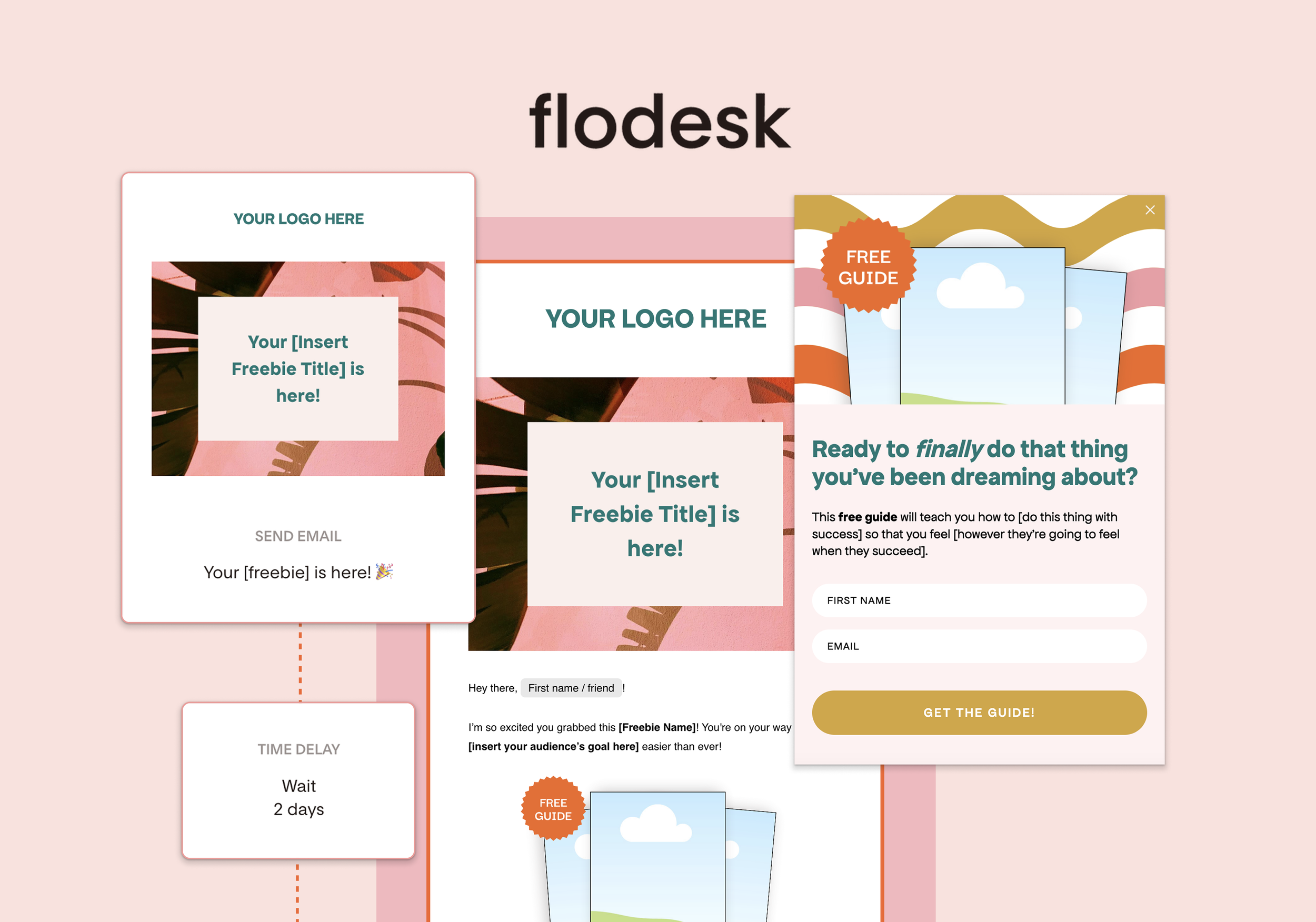
Have a freebie already made, but don’t want to go through the tech setup?
Checkout the Flodesk Freebie Toolkit! Your one-stop-shop for getting your freebie live and growing your email list in under an hour.
